

Account
Plans and billing
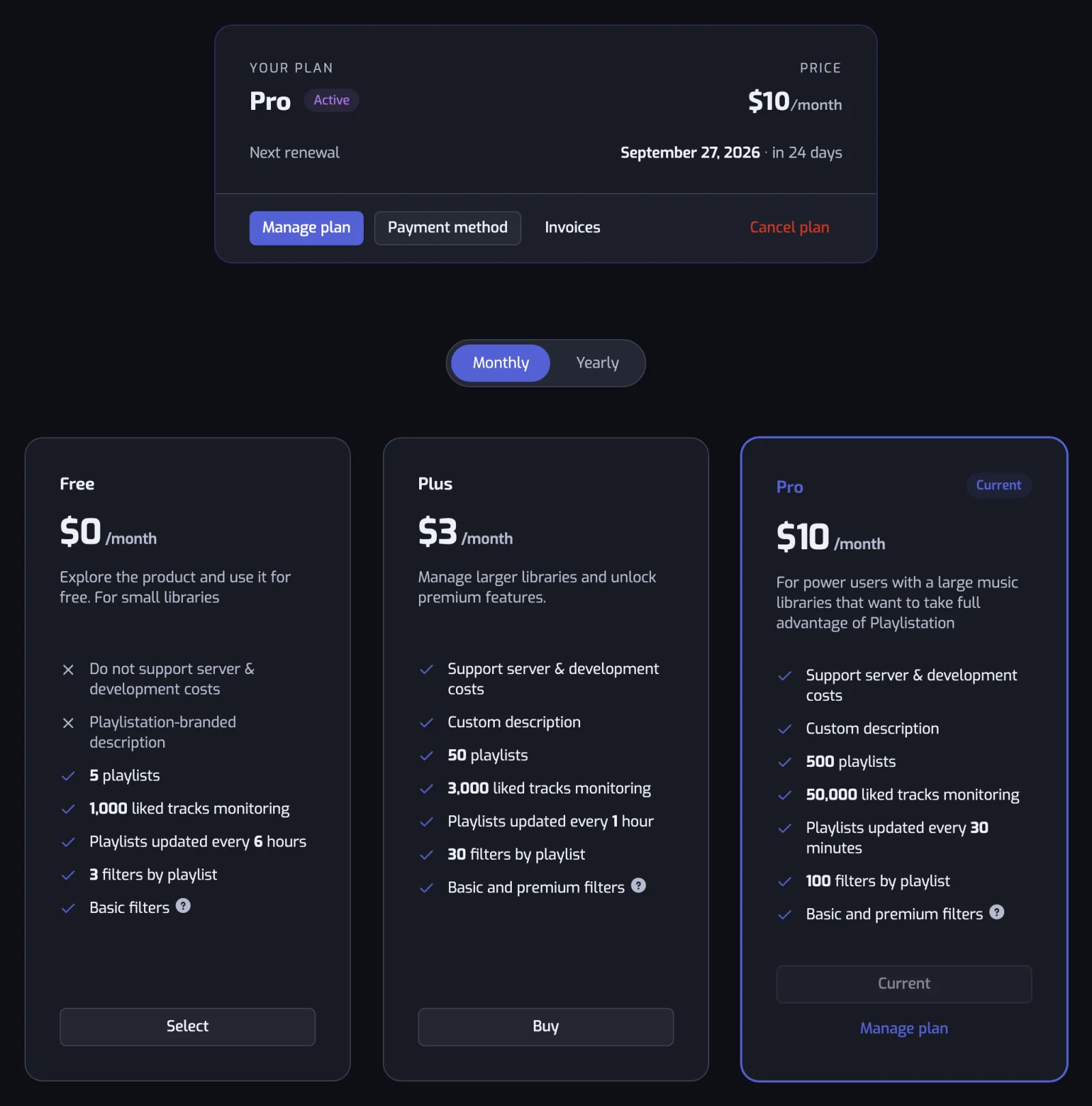
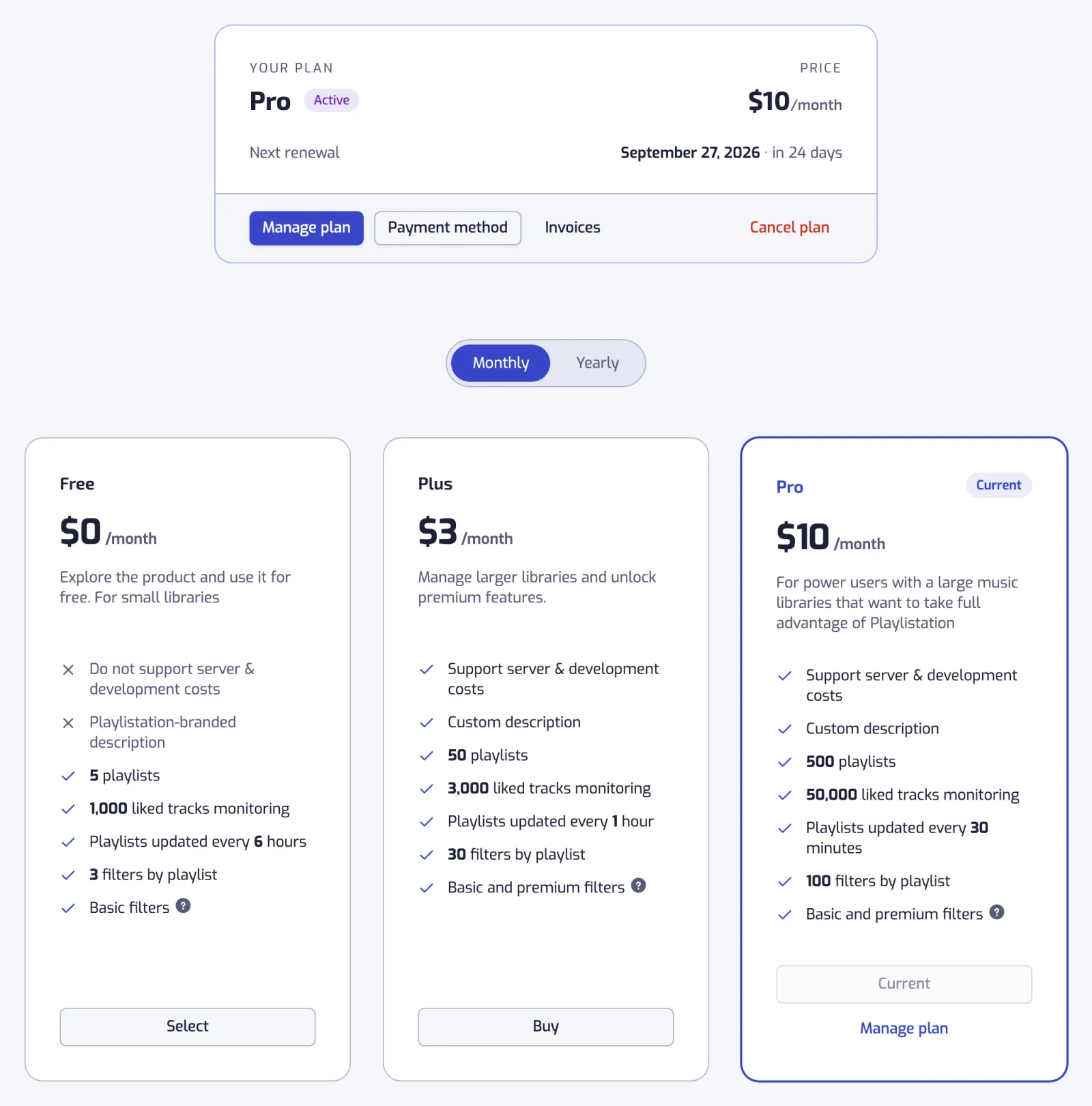
Playlistation has three plans: Free, Plus and Pro. Every plan has every filter. The plan sets how much of your Liked Songs is monitored, how many smart playlists stay active, how often they refresh and how often your library is backed up; Pro adds Sync now, the full playlist history, a CSV export of a playlist's tracks and Back up now. Everything about it lives on the Subscription page in the app: open Subscription at the bottom of the sidebar, or from the Account tab on mobile.
What each plan includes
| Free | Plus | Pro | |
|---|---|---|---|
| Liked tracks monitored | Your 1,000 most recent | Your 3,000 most recent | Your whole library |
| Active playlists | 5 | Unlimited | Unlimited |
| Playlists refreshed | Once a day | Every hour | In under 30 minutes |
| Sync now | No | No | Yes |
| Filters | Every filter | Every filter | Every filter |
| Playlist history | Last 30 days | Last 30 days | All of it, since October 2026 |
| Export a playlist's tracks (CSV) | No | No | Yes |
| Custom playlist description | No | Yes | Yes |
| Library backup | Every week | Every day | Every hour |
| Back up now | No | No | Yes |
| Backups kept | 4 weekly | 7 daily, 4 weekly, 12 monthly | 24 hourly, 30 daily, 12 weekly, every monthly one forever |
| Backup export (CSV and JSON) | Yes | Yes | Yes |
Liked tracks monitored is how far back into your Liked Songs Playlistation looks, starting from your most recent like. Older likes are never checked against your filters, and the Playlists page warns you when your library is bigger than the limit. See How syncing works.
Active playlists counts the smart playlists Playlistation keeps in sync. On the Free plan, at 5, the Playlists page shows "You've reached your quota of 5 playlists" and the create button disappears until you delete a playlist or upgrade. Plus and Pro have no quota; on every plan an account can create at most 100 playlists in an hour.
Playlists refreshed is how often each playlist is updated, as a target: the update job runs every minute and spreads the playlists on a plan across that window, and load or Spotify's rate limits can push one back a little. See How syncing works.
Sync now reads your whole library from Spotify again and rebuilds every playlist on demand, up to 6 times an hour, instead of waiting for the next refresh. See Sync now.
Filters are the same on every plan, with no limit on how many a playlist holds. See All filters.
Playlist history is how far back each playlist's history goes, and the History page with it. Free and Plus show the last 30 days. Older changes are kept, not deleted, and show again on Pro.
Export a playlist's tracks (CSV) downloads the tracks of one playlist as a file you can open in any spreadsheet, with Download CSV on its page (see Download the tracks as CSV). It is a Pro feature. The Stats page has a second CSV, of your whole library, with Export my library (CSV) (Pro too; see Export your library). Backups have their own download, on every plan.
Custom playlist description lets you write the description shown on Spotify. Until you do, Playlistation writes it: the playlist's filters in a sentence, worded again when you change them. See The playlist page. On the Free plan every playlist carries the Playlistation-branded line "Created using playlistation.com" instead.
Library backup is a dated copy of your Liked Songs and of the playlists you own, taken on every plan: every week on Free, every day on Plus, every hour on Pro. A run on which nothing changed writes no new backup. Every account also gets a first backup right after sign-up. On Free, backups pause after 60 days without a visit and start again the next time you open the app.
Back up now takes a backup on demand, outside the schedule. It is Pro only.
Backups kept is how far back the backups go. Older backups are thinned to the newest of each hour, day, week and month, up to these counts: about a month of backups on Free, about a year on Plus, and on Pro every month since your first backup. See Library backups.
Backup export (CSV and JSON) downloads a snapshot as a spreadsheet or a data file. It is on every plan, so the data is yours whatever you pay.
Prices
Plus is 2.99 a month and Pro 6.99 a month, the same figure in euros and in US dollars. Prices depend on your country. The Subscription page shows them in the currency you would pay in. The website's homepage and pricing page show the prices of the country your IP address is in: in euros, VAT included, for the countries listed below, and in US dollars everywhere else or when the country cannot be told. What you pay follows your Spotify account, not the place you browse from.
You pay in euros if your Spotify account is registered in the European Union, the European Economic Area, Switzerland, Andorra, Monaco, San Marino or Vatican City, and in US dollars everywhere else, the United Kingdom included. In euros, the price includes VAT. Once Stripe has billed you in one currency, a later subscription stays in that currency, wherever you are. Checkout asks for a billing address, which Stripe uses for the tax of your country. If you have a promotion code, there is a field for it at checkout.
Plans are sold monthly only. A subscription you started at an earlier price, monthly or yearly, renews at that price for as long as it stays active. Cancelling it or switching to the other paid plan ends that price: the next subscription is at the current one.
The Free plan needs no card and does not expire.
Subscribing
- Open the Subscription page.
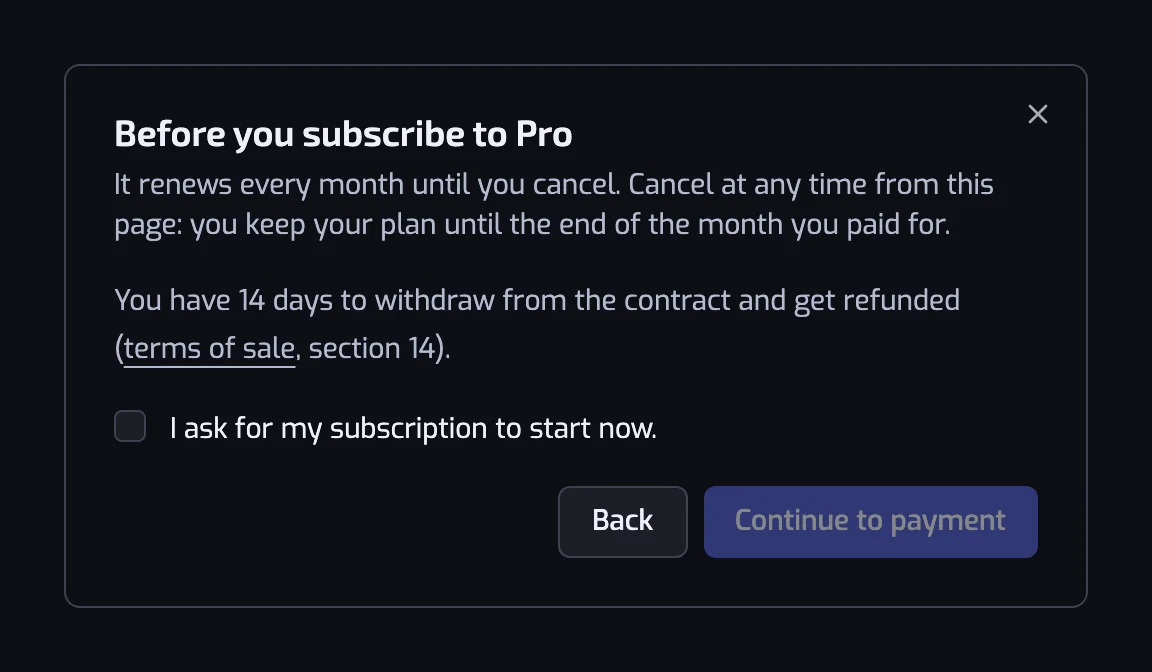
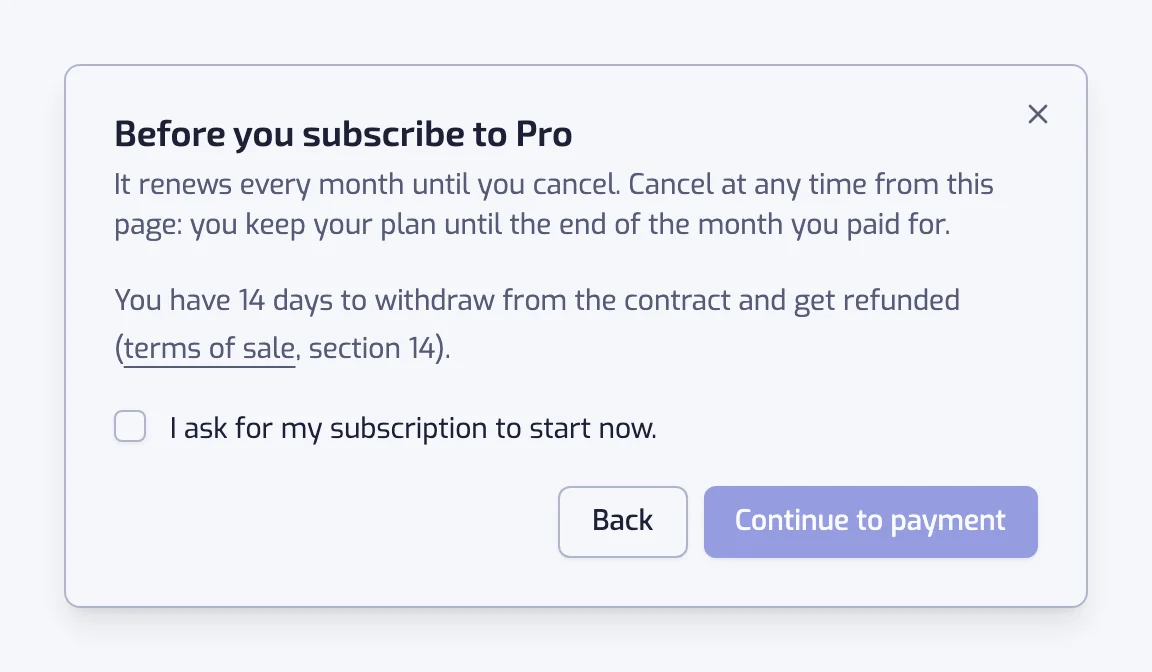
- Click Buy on the Plus or Pro card. A dialog, Before you subscribe to Plus (or Pro), sums up how the plan renews every month and your 14-day right to withdraw, with a link to the terms of sale.
- Tick I ask for my subscription to start now. to continue: Continue to payment stays disabled until you do. Your plan starts as soon as you pay, and if you withdraw within 14 days you pay for the days used (see Withdrawing within 14 days). Click Continue to payment, or Back to close the dialog.
- You are sent to Stripe Checkout with the email of your Spotify account already filled in. Checkout asks you to tick a box accepting the terms of use and sale before you pay.
- Stripe brings you back to the Subscription page. Your plan switches as soon as Stripe confirms the payment, usually within a few seconds.
We then email you an order confirmation: the plan, the amount paid, the renewal date, the version of the terms you accepted and the date until which you can withdraw.
Payment is handled by Stripe. Playlistation never sees your card number. See Security and privacy.
Managing your subscription
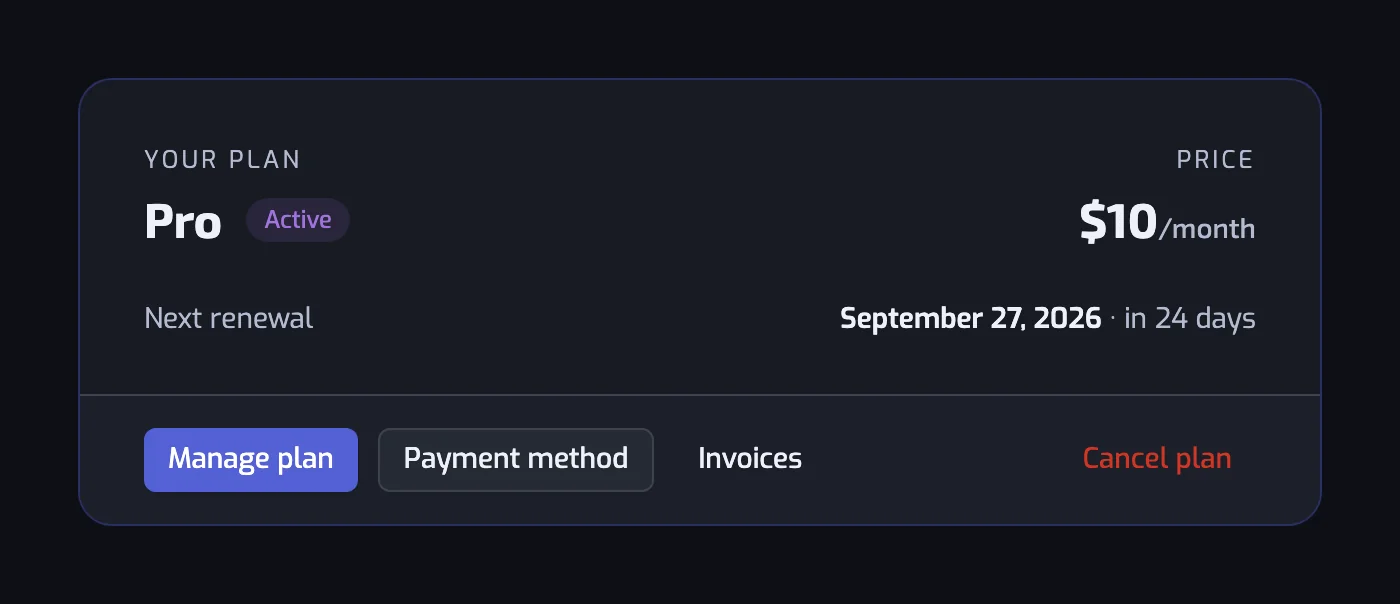
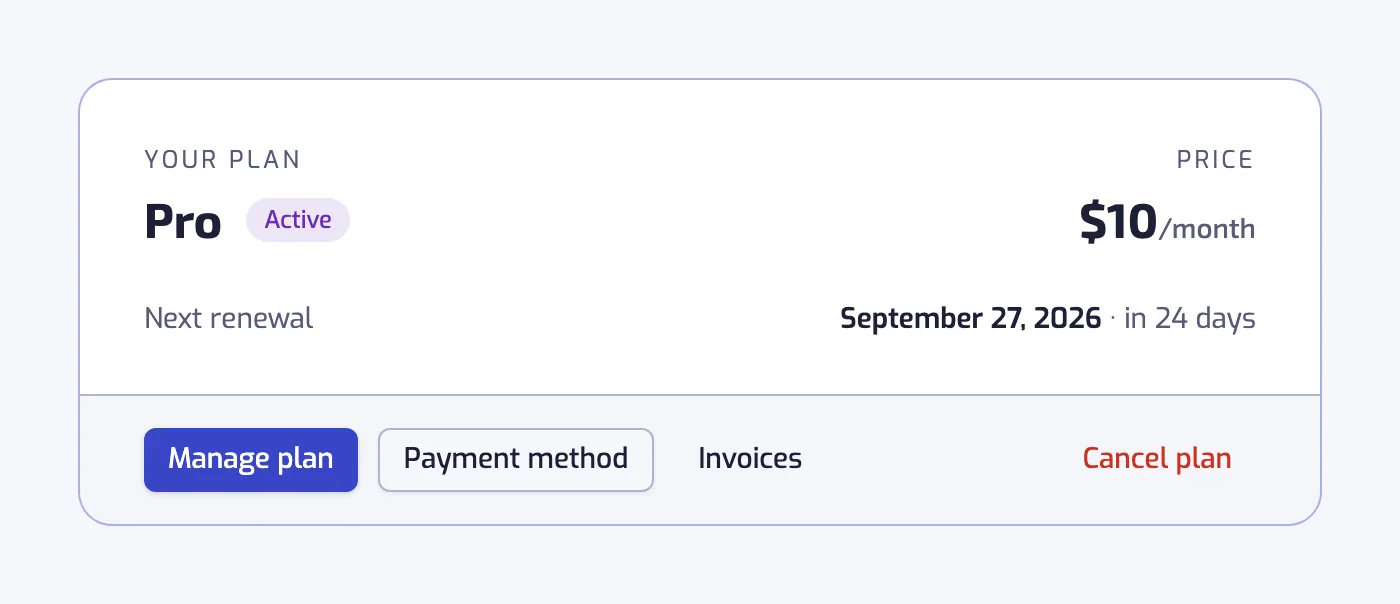
On a paid plan, the top of the Subscription page shows your plan, its status (Active or Cancelling), the price and the Next renewal date, with four buttons under it. Manage plan, Payment method and Invoices all open Stripe's billing portal in a new tab, where you can update your card and download every invoice. Cancel plan starts the cancellation flow described below.
To move between Plus and Pro, click Switch on the other paid card. Stripe shows you the change and asks you to confirm it before anything is charged. The new plan is billed at its current monthly price. If you pay a price that is no longer sold (an older price, a yearly one, or a discounted one), the app first warns you that you cannot get that price back, and you confirm before going on.
Cancelling
Cancel plan opens Stripe's cancellation page. If you pay a price that is no longer sold, the app first warns you that cancelling ends it for good. If you pay full price, that page may first offer you half price for the next 3 months, once per subscription; accept it and your subscription carries on at the reduced price, or decline and confirm the cancellation.
Your subscription is not cut off on the spot: it runs until the end of the period you paid for, then stops. Until then the card says Cancelling and shows an Ends on date, the page shows "Your subscription is scheduled for cancellation", and the Free card reads "Scheduled for" that date. You keep every feature of the paid plan until then. On that date you move to the Free plan automatically and the changes below apply.
Once the cancellation is registered, we email you a confirmation with the date your plan ends.
Deleting your account is different: the subscription is cancelled immediately and any days left in the period are lost. See Deleting your account.
Before a yearly plan renews
Yearly plans are no longer sold, but one taken before keeps renewing every year. On such a plan, we email you between 45 and 30 days before the renewal date. The email gives the renewal date and says you can stop the renewal until then with Cancel plan. It is sent once per renewal, and not at all when your plan is already set to end. Monthly plans get no reminder.
Withdrawing within 14 days
For 14 days after you subscribe, you can withdraw from the contract and get refunded, without giving a reason. A renewal does not open a new 14 days.
If the billing address you gave at Stripe Checkout is in the European Union, Iceland, Liechtenstein or Norway, the Subscription page shows a box under the plans with the last day you can withdraw and a Withdraw from contract here link, for the whole 14 days. For a subscription taken before Playlistation recorded the billing address, the country of your Spotify account counts instead.
- Click Withdraw from contract here.
- The dialog says what happens, then lists what going back to Free changes for your account: how many of your playlists stop updating, if you have more than 5; how many of your liked songs stay monitored, if your library holds more than 1,000; and the once-a-day refresh. Fill in Your name and Email address for the acknowledgment: Confirm withdrawal stays disabled until both are filled in and the address is valid. Under the fields, the dialog names the contract.
- Click Confirm withdrawal, or Keep my subscription to leave things as they are.
The subscription ends at once, your account moves to the Free plan and the changes under What happens when you downgrade apply. The refund goes back to the card you paid with:
- Subscriptions started with the immediate-start request: what you paid minus the days used, pro rata of the period you paid for. Every day begun counts as used, so withdrawing an hour after paying uses one day.
- Subscriptions started without this request: everything you paid.
A message in the app confirms the amount, and an email to the address you typed acknowledges the withdrawal with the name you gave, the contract, the date and time it was received and the amount refunded.
With a billing address anywhere else, the link is not shown: write to contact@playlistation.com within the 14 days.
Cancelling is different: it stops the next renewal, keeps your plan until the end of the period and refunds nothing.
If a payment fails
If Stripe cannot charge your card when your subscription renews, it retries the payment over the following days, and you keep your paid plan in the meantime. To fix it, update your card with Payment method on the Subscription page. If every retry fails, Stripe cancels the subscription: you move to the Free plan, the changes below apply, and we email you a link to subscribe again.
What happens when you downgrade
Nothing is deleted. Your playlists and their filters stay on Spotify and in Playlistation. What changes is what the new plan keeps in sync:
- Fewer liked tracks are monitored: your 3,000 most recent on Plus, your 1,000 most recent on Free. Tracks that fall outside leave your playlists at their next update.
- On the Free plan, playlists past the fifth stop updating but keep their tracks on Spotify. The ones you created first stay active. The others return to Active on their own as soon as a slot is free, whether because you upgraded again or deleted another playlist.
- Playlists refresh less often: every hour on Plus, once a day on Free.
- Sync now and the CSV exports carry a Pro tag again when you leave Pro.
- The history shows the last 30 days. Older changes are kept and show again if you come back to Pro.
- A custom description stays as it is, but you cannot edit it until you are back on a paid plan. A description worded from the filters stays too, and no longer follows them.
- Backups run less often and reach back less far. Every day on Plus, every week on Free, and Back up now goes when you leave Pro. Your backups are thinned to the new plan's ladder at the next backup, so export the ones you want to keep before you downgrade.
The mechanics of the Disabled status are in Playlist statuses, and Troubleshooting lists the fixes.
Common questions
What happens when my Liked Songs grow past my plan's limit?
Playlistation watches only your most recent likes: 1,000 on Free, 3,000 on Plus, your whole library on Pro. Each new like past that number pushes your oldest like out of the window, and that track leaves your smart playlists at their next update. It stays in your Liked Songs, and the Playlists page warns you when your library is bigger than the limit.
Does cancelling end my paid plan straight away?
No. You keep every paid feature until the end of the period you paid for, and the Subscription page shows the Ends on date. On that date you move to the Free plan. Deleting your account is the exception: it cancels the subscription at once and the remaining days are lost.
Can I pay yearly?
No. Plus and Pro are sold monthly only. A yearly subscription started before keeps renewing at its price for as long as it stays active.