

How to make a metal playlist from your Spotify Liked Songs
Pick Spotify's metal labels, from heavy metal to nu metal and metalcore, and keep a playlist of the metal you liked current. Free plan included.
Sign in with Spotify. The Free plan needs no card.
To make a metal playlist from your Spotify Liked Songs, add the Artist genre filter in Playlistation and pick the metal labels your library uses: metal, heavy metal, nu metal, alternative metal, metalcore and the rest. Playlistation gathers every liked track whose artist carries one of them into a real Spotify playlist, then adds the metal you like next. Spotify splits metal into dozens of narrow labels and Playlistation matches them exactly, so picking the right ones decides what ends up in the playlist. It works on every plan, with a free or a Premium Spotify account.
How it works
- Sign in with Spotify and create a playlist. Rename it on its page once you know what it holds.
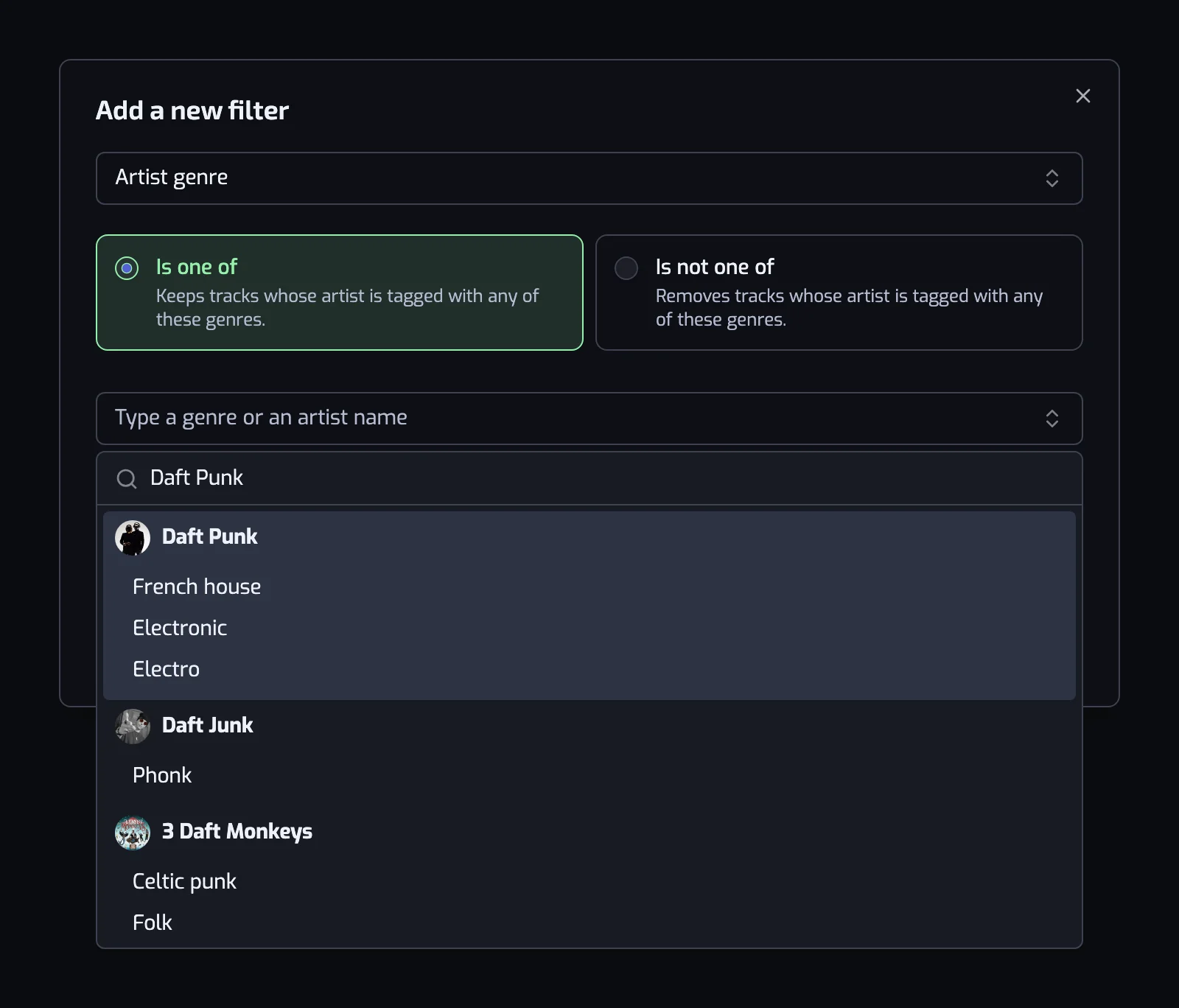
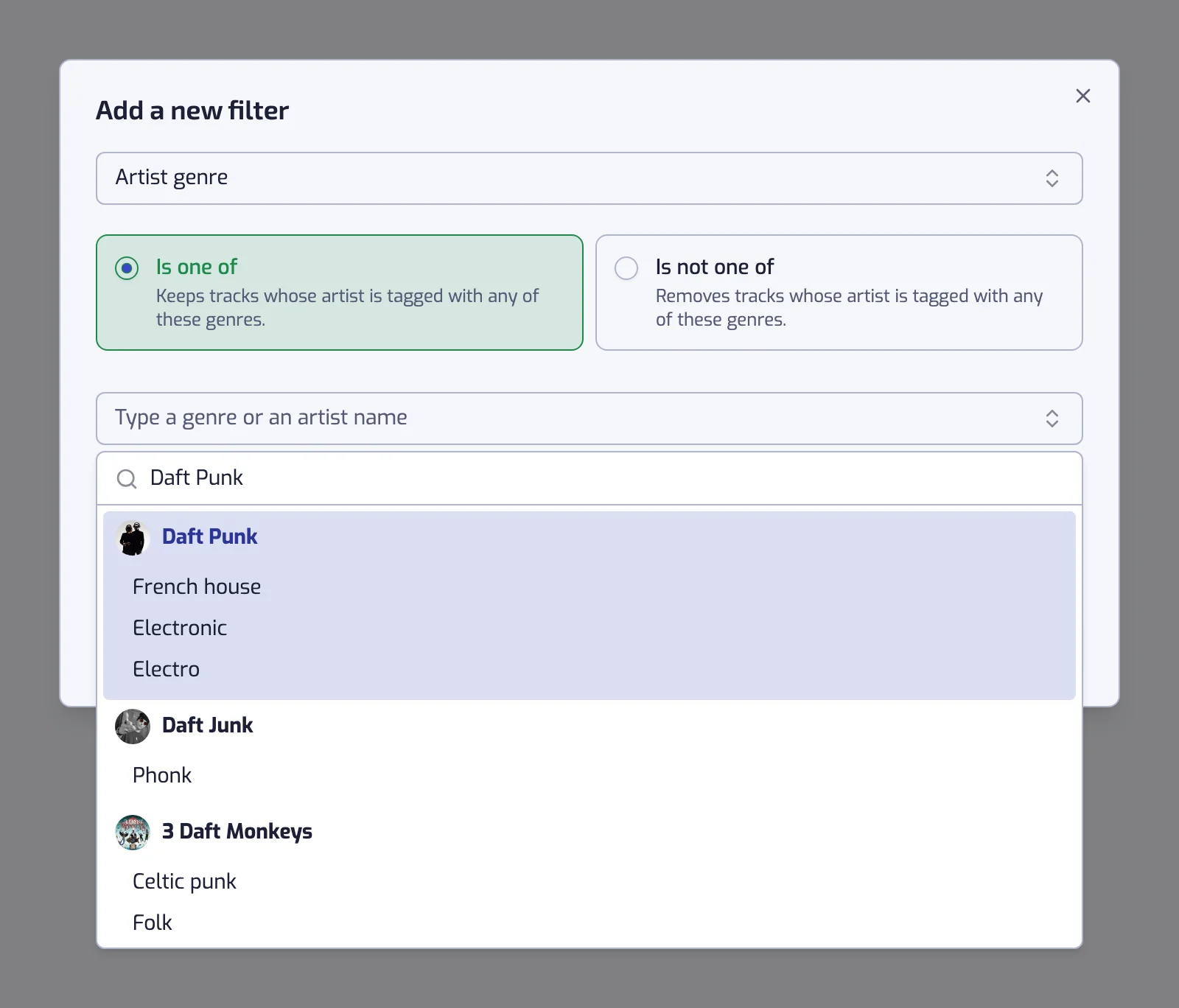
- Add the Artist genre filter, keep Is one of, and pick the labels. Before you type, the box offers the strongest genres of your own library; type a band's name and it lists that band's labels, one click each.
- Create it. Playlistation fills the playlist from your Liked Songs and keeps it in step as you like and unlike tracks.
Rock and metal are the family Playlistation users build the most genre playlists from. On 6 October 2026, rock was the most picked label of all, and the most picked metal labels were nu metal, alternative metal and hard rock, then metal and rap metal: the 2000s alternative wave, more than any other corner of metal.
"metal" does not include nu metal
Spotify does not tag songs with a genre. It tags artists, and for metal the labels are precise: a band is rarely just "metal", it is "alternative metal" or "melodic death metal". Playlistation matches labels exactly, so a filter on metal alone leaves out every band tagged only nu metal, and a filter on heavy metal leaves out the thrash bands. A broad metal playlist needs several labels.
Here are labels Spotify uses, grouped the way most libraries split:
| Corner of metal | Labels to pick |
|---|---|
| Classic and 80s | heavy metal, hard rock, glam metal, speed metal, power metal |
| Thrash, death and black | thrash metal, groove metal, death metal, melodic death metal, black metal |
| Slow and heavy | doom metal, sludge metal, stoner rock |
| The 2000s alternative wave | nu metal, alternative metal, rap metal, post-grunge, industrial metal |
| Modern and technical | metalcore, deathcore, post-hardcore, progressive metal, djent |
| Orchestral | symphonic metal |
Most bands carry several labels, so a band tagged both nu metal and alternative metal matches either one. To find your set, type three or four bands that define the playlist for you and add the labels they share.
One playlist per era
Labels describe the artist, not the year. A band tagged heavy metal in 1982 keeps that label for the album it released last spring. When you mean a period, add a Release date filter:
| Playlist | Filters |
|---|---|
| 80s metal | The track artist is tagged with one of heavy metal, glam metal, speed metal, and Release date: The 80s (1980–1989) |
| 2000s nu metal | The track artist is tagged with one of nu metal, alternative metal, rap metal, post-grunge, and Release date: The 2000s (2000–2009) |
| Classic rock, actually classic | The track artist is tagged with one of classic rock, hard rock, and Release date: The 70s (1970–1979) |
| New metal I liked | The track artist is tagged with one of metal, metalcore, progressive metal, and Liked date: In the last 90 days |
The third row is the one people get wrong. classic rock is a label on bands, so without a date it also collects those bands' 2020s albums. Two decades in one playlist is two Release date filters with the pill between them switched to OR; combining filters shows how. More periods are on Spotify playlists by decade.
Keeping a corner out
The operator Is not one of removes every track whose artist carries one of the labels you pick. Add it as a second Artist genre filter to cut a corner out of a broad playlist: The track artist is tagged with one of metal, heavy metal, thrash metal and The track artist is tagged with none of metalcore, deathcore. The filter removes bands, so a thrash band that also carries metalcore leaves with every one of its songs. Expand a track in the playlist's track list to see what each filter read for it (the playlist page).
Heavy enough for the gym, quiet enough for work
A slow ballad by a metal band is still metal, because the label belongs to the band. The Energy filter sorts that out on sound rather than on labels:
- The track energy is at least 80% keeps the loud, dense tracks. That is the training playlist.
- The track energy is at most 40% keeps the quiet ones: the acoustic tracks, the ballads, the slow instrumentals.
Why the playlist stays up to date
The labels are stored as a rule, so the playlist is never finished. Like a new track by a band tagged with one of them and it joins at the next update: once a day on the Free plan, every hour on Plus, in under 30 minutes on Pro. Unlike it and it leaves. See how syncing works.
What it cannot do
- A band's labels cover all its records. A band that went from thrash to radio rock carries both labels on every album. Separate its eras with Release date, not with genre.
- Some artists have no labels on Spotify. Small bands are the usual case. Their tracks never match Is one of; catch them with the Artist filter by name.
- The labels are Spotify's, not ours. If a word you expect is not offered, search a band instead of the word.
- Only your Liked Songs count. A metal album you saved without liking its tracks stays out; like the tracks and they join at the next update.
The full reference for the filter is on the Artist genre page, and the general method, for any genre, on organizing Liked Songs by genre.
Questions about Spotify metal playlists
How do I make a metal playlist from my Spotify Liked Songs?
Create a playlist in Playlistation, add the Artist genre filter and pick the metal labels your library uses, such as heavy metal, nu metal, alternative metal and metalcore. It collects every liked track whose artist carries one of them into a real Spotify playlist. The playlist then updates itself as you like more metal.
Why is a metal band missing from my metal playlist?
Spotify's labels are matched exactly, so the band probably carries a label you did not pick: metal does not include nu metal or thrash metal. Type the band's name in the genre box to see its labels and add the missing one. If the band has no labels at all, add it with the Artist filter instead.
Why are slow songs in my metal playlist?
Because Spotify tags bands, not songs, every track by a metal band counts as metal, ballads included. Add the Energy filter at 80% or more to keep only the heavy tracks. Reversed, at 40% or less, the same filter gives you a playlist of the quiet ones.
Can I make separate playlists for 80s metal and 2000s metal?
Yes. Use the same Artist genre filter in both, or the labels of each era, and add a Release date filter on the decade: The 80s (1980–1989) in one, The 2000s (2000–2009) in the other. Labels describe the band rather than the year, so the date filter is what separates the eras.
Is it free?
Yes. The Artist genre filter, like every filter, works on every plan. The Free plan allows five playlists and reads your 1,000 most recent likes; Plus and Pro read more of your library and update more often. See plans and billing.