

Account
Library backups
Playlistation backs up your Spotify library on every plan: your Liked Songs with the date you liked each one, and the playlists you own with their tracks. Free backs up every week, Plus every day and Pro every hour, and any backup can be downloaded as CSV or JSON. It all lives under Backups in the app.
A backup is a record you keep, not an undo button: Playlistation does not put tracks back into your Liked Songs or recreate playlists from a backup.
What a backup contains
A backup records what your library was, not the music itself:
- Your Liked Songs, with the date you liked each track.
- The playlists you own, with their name, their description, whether each one is public, and their tracks in order. A playlist you follow but did not create belongs to whoever made it, so it is not part of your library and is left alone.
It stores Spotify track ids, so a library of any size makes a small file; the titles, artists and albums are filled in from Playlistation's track cache when you export a backup. Podcasts, episodes and audiobooks are not covered, and the audio itself is never stored.
How often each plan backs up
| Free | Plus | Pro | |
|---|---|---|---|
| Backed up | Every week | Every day | Every hour |
| Back up now | No | No | Yes |
| Hourly backups kept | No | No | 24 |
| Daily backups kept | No | 7 | 30 |
| Weekly backups kept | 4 | 4 | 12 |
| Monthly backups kept | No | 12 | All, forever |
| Paused after 60 days without a visit | Yes | No | No |
| CSV and JSON export | Yes | Yes | Yes |
Older backups are thinned out: Playlistation keeps the newest backup of each hour, day, week and month, up to the counts in the table, and deletes the rest. Free reaches back about a month, Plus about a year, and Pro to its very first backup. The counts are of the hours, days, weeks and months in which a backup was written, so a library that rarely changes reaches further back. The most recent backup is always kept.
On Pro, Back up now takes a backup whenever you want, outside the schedule.
Every account is backed up right after sign-up, whatever its plan. Until that first backup is done, the Backups page reads Your first backup is on its way; from then on, the plan's schedule takes over. A backup needs your Spotify connection, so none runs while Playlistation cannot reach your account (see Staying connected to Spotify).
A run with no change writes nothing
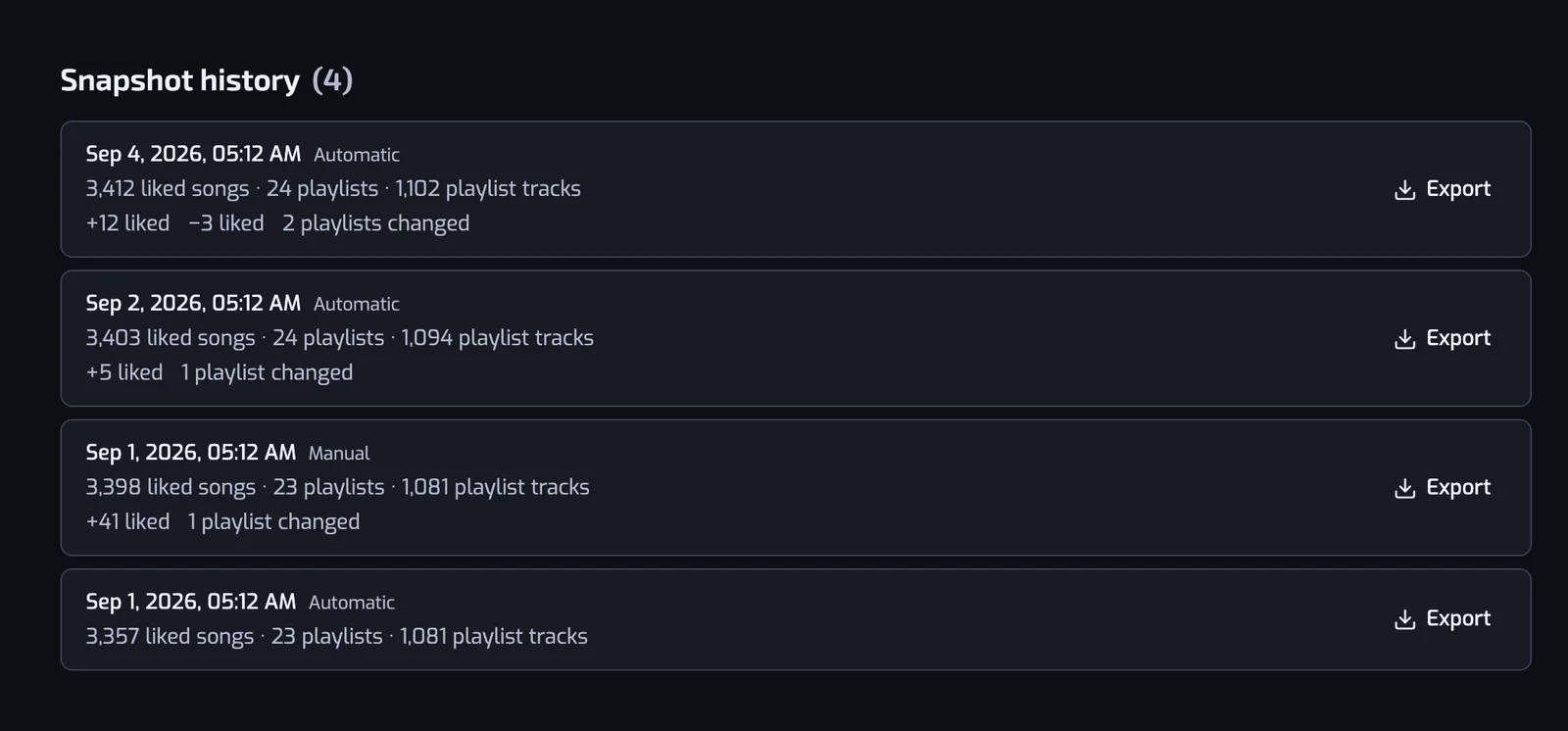
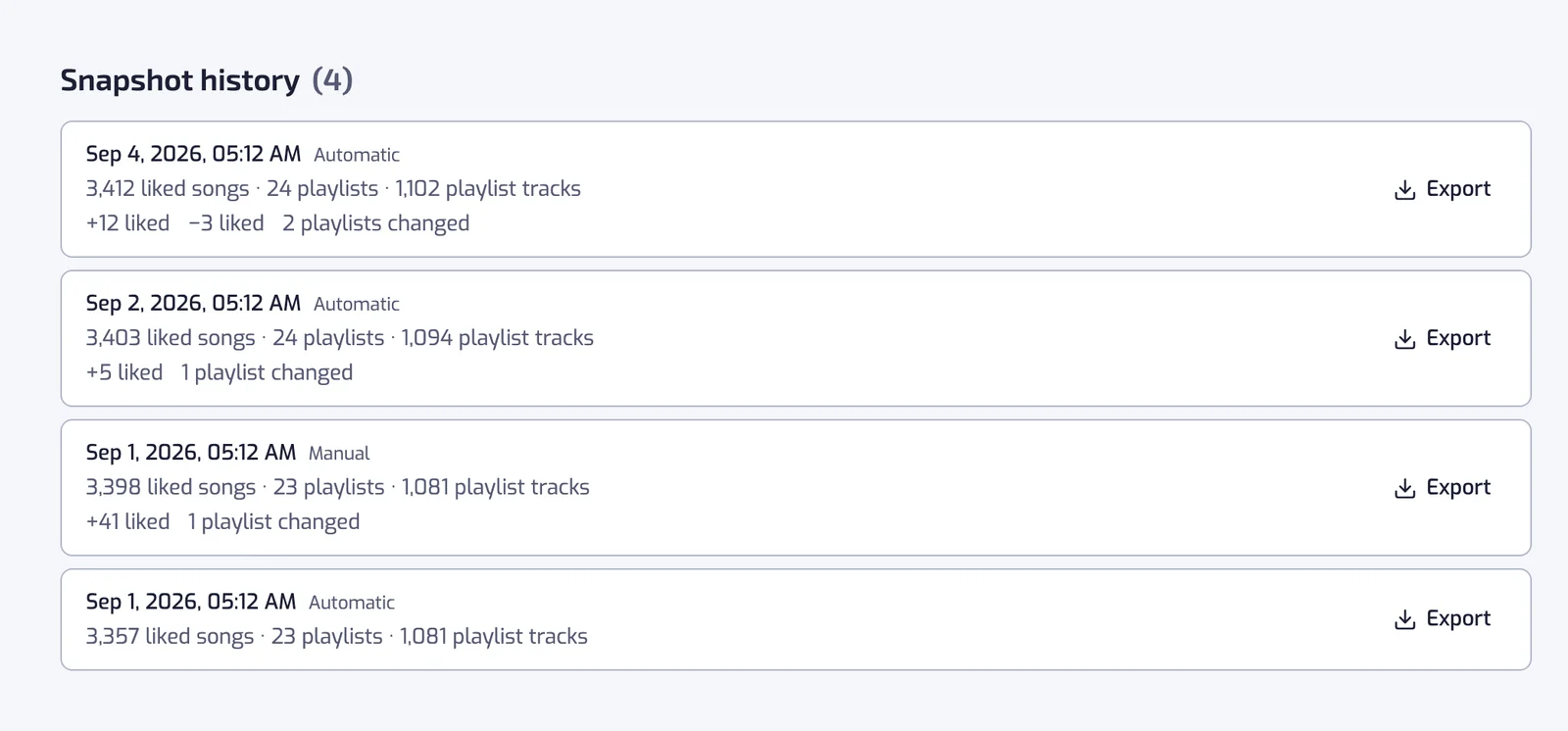
Each run compares the library it has just read with the newest backup. When nothing has changed, no new backup is written: the existing one is marked as still accurate, and the top of the Backups page says when the library was last checked. A new backup appears only when something has actually changed, and its row in Snapshot history says what changed: the number of tracks added and removed and the number of playlists changed since the backup below it. Each row also says where the backup came from: Automatic or Manual.
When Free backups pause
On the Free plan, backups stop when you have not opened Playlistation for 60 days. The backups you have are kept, and you can still export them. The next time you open the app, a new backup starts straight away and the weekly schedule restarts from it; until it is done, the Backups page says that backups were paused while you were away. Plus and Pro are never paused.
Changing plan
A plan change applies at the next backup. Upgrade and the new schedule starts from there. Downgrade and your backups are thinned to the new plan's ladder at the next backup: moving from Pro to Free, for example, keeps one backup a week for 4 weeks and deletes the rest. Export the ones you want to keep before you downgrade. See Plans and billing.
Exporting a backup
Any backup can be downloaded, on every plan. Open Export on its row, or on its entry in the History timeline, and pick a format:
- Download CSV: one row per liked track, with the columns
spotifyId,title,artists,album,spotifyUrlandlikedAt, the date and time you liked it. It opens in any spreadsheet. - Download JSON: the whole backup.
likedTrackshas the same fields for each liked track, andplaylistslists each playlist with its name, description, whether it is public, its Spotify link and the ids of its tracks.
A track missing from the cache still gets its row, with its id and its Spotify link. The file is yours to keep, and reading it later needs nothing from Playlistation.
Backups in your History
Each backup also shows in the timeline of the History page, as Library backed up, placed by its date among your playlists' changes. The entry says what changed since the backup before it (the first one says what it holds), with Export and All backups, which opens the Backups page. See Playlist history.