

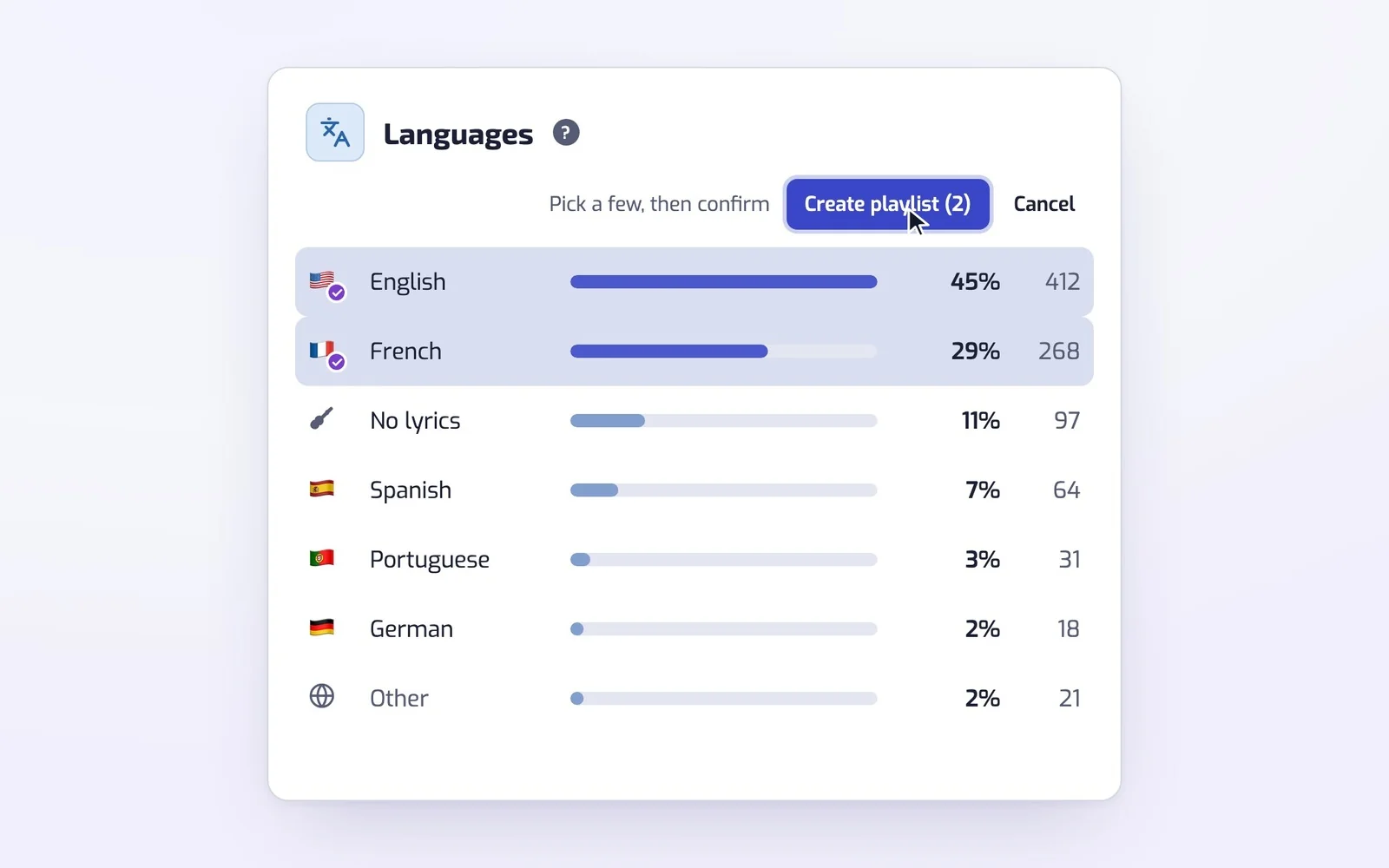
Language stats
See which languages your Liked Songs are sung in, and make a playlist from one or two of them in a click.
Set your rules once, like 80s rock or 180 BPM for running. From then on, each song you like on Spotify joins the playlists it fits.
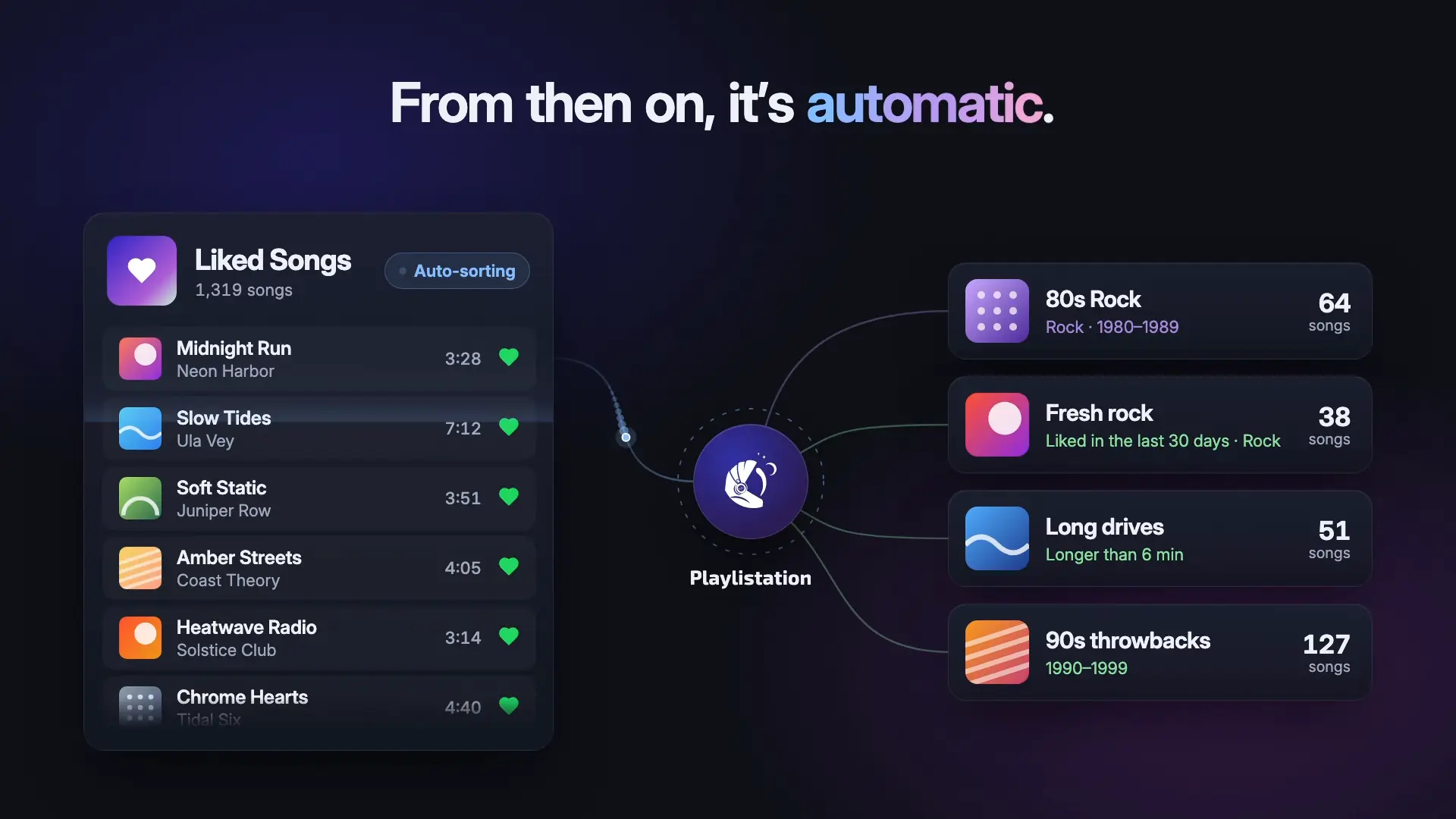
Smart Spotify playlists that fill themselves from your Liked Songs. You pick filters, here Artist genre Rock and Release date 1980 to 1989, and the playlist fills with your matching songs on Spotify. Make one for every mood. Then it runs on its own: a new like lands in each playlist it fits, and a song you unlike leaves them.
Trusted by Spotify listeners


Mix as many as you like in one playlist.
Each of these is two or three filters on your Liked Songs. Like a song that fits and it joins the playlist on its own. Open a filter to see how it works.
I used to sort my Liked Songs into playlists by hand, and I kept thinking it could be automated.
I'm a lazy dev: if I do something by hand more than twice, I look for a way to automate it. So I built Playlistation.
This project is also where I learn every side of a product: design, analytics, SEO, infrastructure.

Thomas Bernard
Indie hacker, solopreneur… whatever it's called these days.
Creator of Playlistation
The latest additions to Playlistation, already in the app.
See which languages your Liked Songs are sung in, and make a playlist from one or two of them in a click.
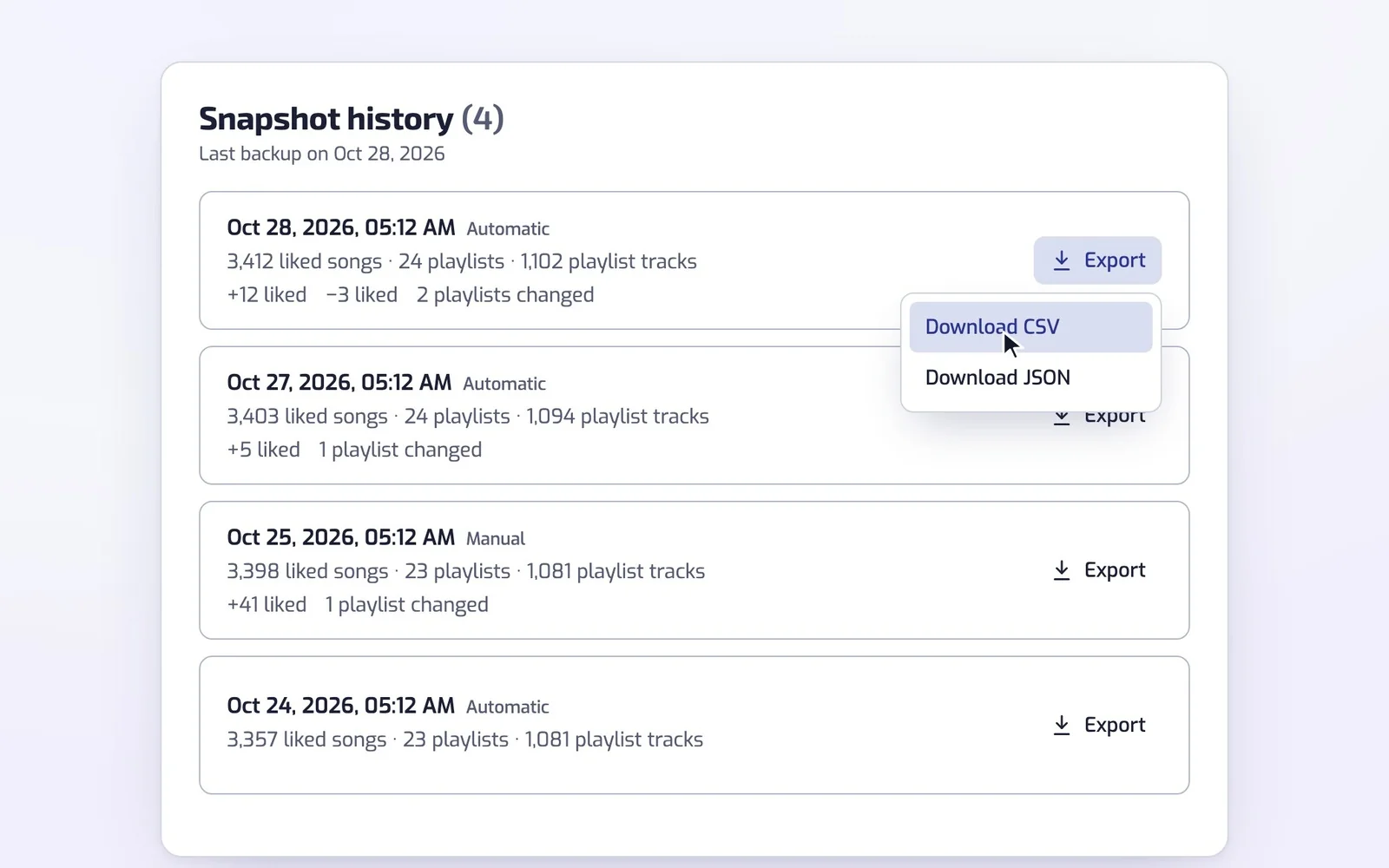
Your Liked Songs and your own playlists are backed up automatically, on every plan.
No. Playlistation works with any Spotify account, free or Premium, on every plan.
No. Playlistation only changes the playlists you create with it. Once a day it reads the list of your playlists, only to notice when you delete one of its own in Spotify. It reads what is in a playlist you own only to back it up, and never changes it.
Yes. Playlistation is maintained and updated regularly, and it works with any Spotify account.
Yes. Playlistation keeps dated backups of your Liked Songs and of the playlists you own, with the date you added each song, and you can download any of them as CSV or JSON on every plan. How the backup works.
Yes. Playlistation sorts your Liked Songs into real Spotify playlists by genre, decade, release year, tempo, language or the date you liked them, and adds every new like to the playlists it fits. The Free plan needs no card.
Playlistation does not have access to your Spotify login information.
To sign in, you go to the Spotify website, where Spotify asks you to let Playlistation manage your playlists and access your library.
Once you accept, Spotify sends you back to Playlistation with a token. We use that token to talk to Spotify, so we never see your Spotify password.
You can find more information in the Spotify API Documentation • Authorization.
Yes. Spotify provides the Spotify Web API so developers can build apps around Spotify.
You fill a regular playlist by hand and keep it up to date yourself. A smart playlist made with Playlistation updates itself.
You create a playlist and add filters, such as the artist, a genre like metal or house, the language a song is sung in, its release year, its tempo in BPM, like 180 BPM for running, or the day you liked it.
Playlistation then fills the playlist with the songs from your Liked Songs that match these filters, and keeps checking your Liked Songs. Unlike a song and it leaves your smart playlists. Like a new one and, at the next update, it joins every smart playlist whose filters it matches.
Spotify lets you sort and search your Liked Songs, but it doesn't keep a rule. Playlistation saves your filters and re-runs them, so each new like joins every playlist it matches.
Each playlist updates on a schedule set by your plan: once a day on Free, every hour on Plus and in under 30 minutes on Pro. Before each update, Playlistation checks your Liked Songs, so a new like lands at the playlist's next update. Pro can also sync on demand.
Create a playlist or change its filters in Playlistation, and it queues an update right away.
Change the playlist image in Spotify and Playlistation picks it up on the next sync. The title is different: rename a playlist in Spotify and Playlistation keeps showing its own name, then writes that name back over yours the next time you edit the playlist here. Rename it in Playlistation instead.
Songs you add or remove by hand don't stay. At the next update, Playlistation takes out a song that doesn't match and puts back a matching one you removed. To change what goes in, edit the filters.
You can delete a playlist within Playlistation. You then choose between keeping it on Spotify with its current tracks, or deleting it from both Playlistation and Spotify.
You can also delete the playlist in Spotify like any other. Playlistation notices within a day and removes it from the app.
No card needed. Plus covers 3,000 Liked Songs, Pro your whole library.
Free, no card. We never see your Spotify password. Security and privacy