

How to make a playlist of one artist's songs from your Spotify Liked Songs
Gather every song you liked by one artist, or a few, into a Spotify playlist that adds their next tracks when you like them. Free plan included.
Sign in with Spotify. The Free plan needs no card.
To make a playlist of one artist's songs from your Spotify Liked Songs, add the Artist filter in Playlistation and pick the artist from Spotify's catalog. Playlistation collects every liked track that credits them, featured appearances included, into a real Spotify playlist you can play anywhere and share, and adds the next one at its next update after you like it. The filter works on every plan, the free one included, with a free or a Premium Spotify account.
How it works
- Sign in with Spotify and create a playlist. Playlistation names it after its filters; rename it on its page to put the artist's name on it.
- Add the Artist filter and type the artist's name. The picker searches Spotify as you type and shows each artist with their picture, so you pick the right one. Before you type, it offers the top artists of your own library.
- Create it. Playlistation fills the playlist from your Liked Songs and keeps it in step from then on.
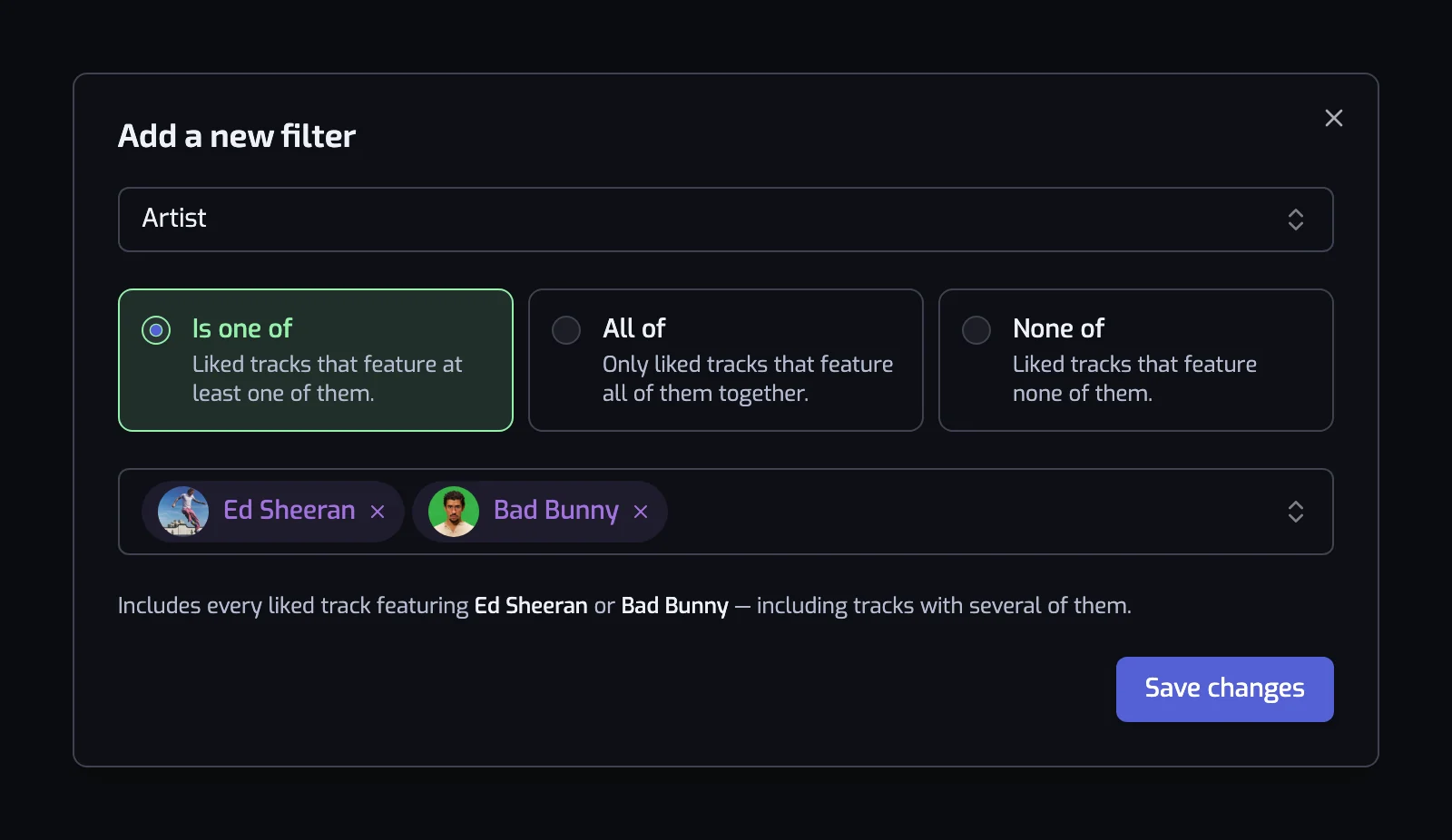
Artist is the third filter Playlistation users reach for, after Artist genre and Release date (playlists in use on 6 October 2026). People who like a band for years end up with its songs spread across thousands of likes, and this is the quickest way to pull them back together.
Which songs count as that artist's?
The filter reads the credits Spotify lists on each track and nothing else. Three things follow:
- Featured appearances count. A track by one artist featuring another credits both, so it lands in either artist's playlist. A search in Spotify misses these more often than anything else.
- Playlistation matches artists by their Spotify page, not by name. Two bands with the same name stay apart, which is why the picker shows each one with its picture.
- A remix or a cover follows its credits. A remix credited to the remixer matches the remixer. A cover belongs to the band that recorded it.
One artist, a few, or everyone but one
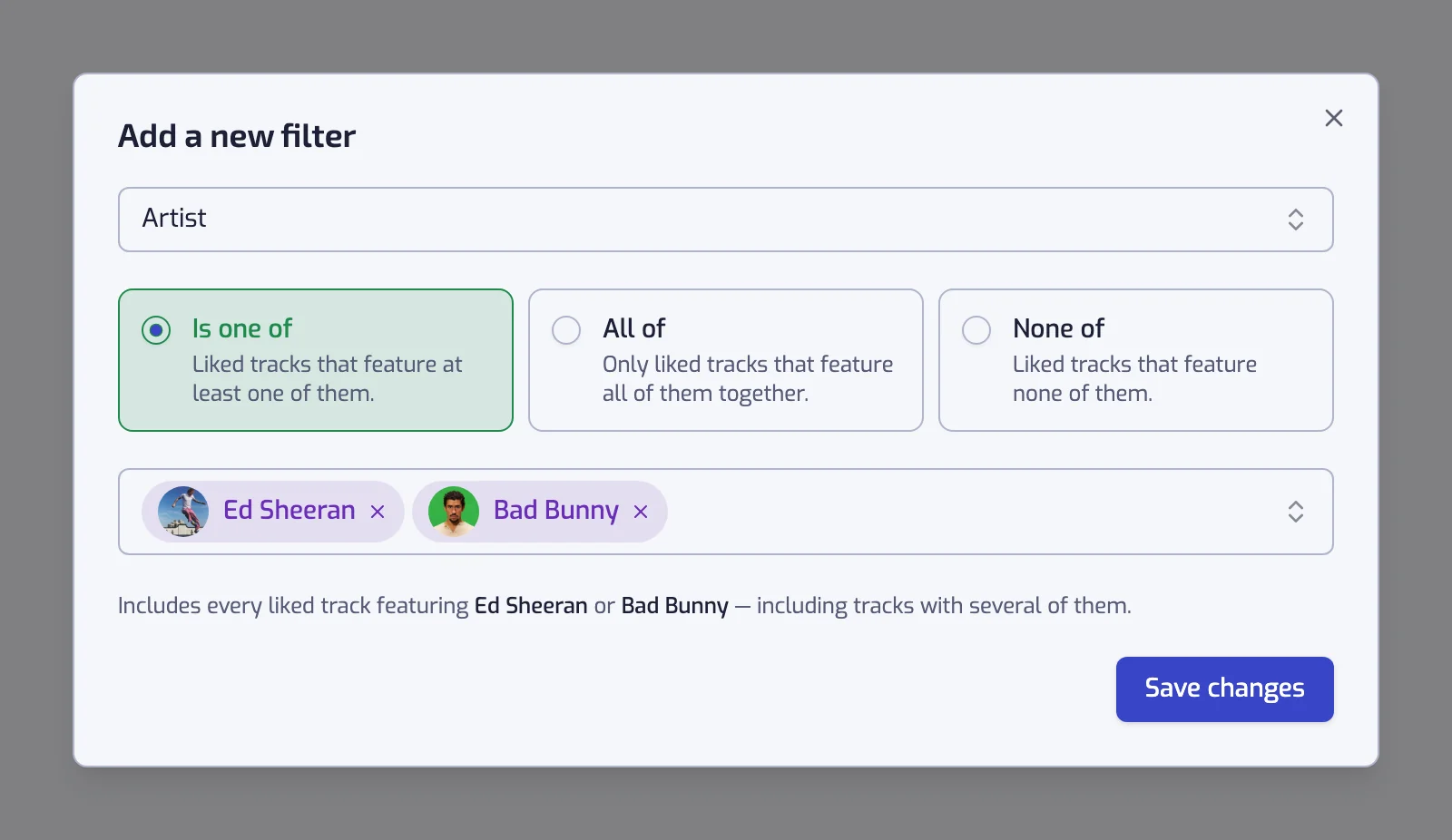
The cards in the dialog depend on how many artists you picked: Is or Is not with one, Is one of, All of or None of with two or more.
| You want | Pick | The filter reads |
|---|---|---|
| Every song with this artist on it | Is | The track artist is one of Daft Punk |
| A band and its side projects together | Is one of | The track artist is one of Radiohead, Thom Yorke, The Smile |
| Only their collaborations | All of | The track artists are all of JAY-Z, Kanye West |
| Everything except one artist | None of | The track artist is none of The Beatles |
People often add a second Artist filter for a second artist. Playlistation joins separate filters with AND, so two Artist filters keep only the tracks that credit both. Put the artists in one filter and choose Is one of. The AND and OR rules are on combining filters.
Artist playlists worth keeping
An Artist filter alone gives you a tidy copy of a search. Combine it with a second filter and you get a playlist Spotify cannot build for you:
| Playlist | Filters |
|---|---|
| New likes from my favourites | The track artist is one of your five most played artists, and Liked date: In the last 90 days |
| Their 2000s years | The track artist is one of the artist, and Release date: The 2000s (2000–2009) |
| A 60s playlist without the band I already have | The track artist is none of The Beatles, and Release date: The 60s (1960–1969) |
| The calm side of a loud band | The track artist is one of the band, and The track energy is at most 40% |
| Small artists only | The track artist has at most 100K followers, no artist named |
The first row renews itself: each track leaves once it passes 90 days, so it always holds your latest finds from the artists you care about. The second pins an artist to a period, as in a playlist by decade. The last uses Artist followers to keep the artists you found early, whoever they are.
Why the playlist stays up to date
Playlistation stores the artists as a rule and runs it again at every update: once a day on the Free plan, every hour on Plus, in under 30 minutes on Pro. Like a new single and it joins the playlist; unlike a track and it leaves. A playlist for an artist you follow closely carries their latest work without you opening it. See how syncing works.
What it cannot do
- It only reads your Liked Songs. Songs of theirs you never liked stay out until you like them in Spotify.
- It reads credits, not style. It cannot tell an artist's acoustic record from their club record. Narrow with Energy or Release date, or use Artist genre when you mean a whole scene rather than one name.
- It cannot see an uncredited guest. If Spotify does not list the artist on the track, the filter has nothing to match.
- It reads large libraries from the most recent like back: your 1,000 most recent likes on the Free plan, 3,000 on Plus, your whole library on Pro. An artist you liked years ago in a big library may sit outside the Free plan's window.
The full reference, with each card and the sentence it writes, is on the Artist filter page.
Questions about Spotify playlists by artist
How do I make a playlist of one artist's songs from my Spotify Liked Songs?
Create a playlist in Playlistation, add the Artist filter and pick the artist from Spotify's catalog. It collects every liked track that credits them, featured appearances included, into a real Spotify playlist. The playlist updates itself afterwards, so a song by them you like next month joins it on its own.
Can Spotify sort my Liked Songs by artist?
Spotify's help pages list sorting a playlist by title, album, date added and duration on desktop, and a search inside your Liked Songs shows an artist's tracks for as long as the search stays open (Spotify: sort and filter). Neither leaves you with a playlist to keep, share or play on another device. The Artist filter does, and keeps it current.
Does it include songs where the artist is only featured?
Yes. The filter reads every artist credited on a track, so a song by someone else featuring your artist matches too. Spotify's credits do not mark who leads a track, so there is no switch for "own releases only". A None of filter on the frequent guests comes closest.
Will the playlist add songs by the artist that I have not liked?
No. Playlistation reads only your Liked Songs, so the playlist holds the songs of theirs you liked and nothing else. To grow the playlist, like more of the artist's songs in Spotify and they join it at the next update.
Is the Artist filter free?
Yes. The Artist filter, like every filter, works on every plan and with a free Spotify account. The Free plan allows five playlists, reads your 1,000 most recent likes and updates once a day; Plus and Pro read more of your library and update more often. See plans and billing.