Playlistation

Playlistation changelog

New features and fixes in Playlistation, the app that turns your Spotify Liked Songs into playlists that stay up to date.

Get new features by email
  1. Languages in Stats

    See which languages your Liked Songs are sung in.

    Library stats
    More details

    Languages are detected automatically. Pick one or more to make a playlist.

  2. Library backups

    Dated backups of your Liked Songs and your own playlists, on every plan.

    Library backups
    More details

    Download any backup as CSV or JSON.

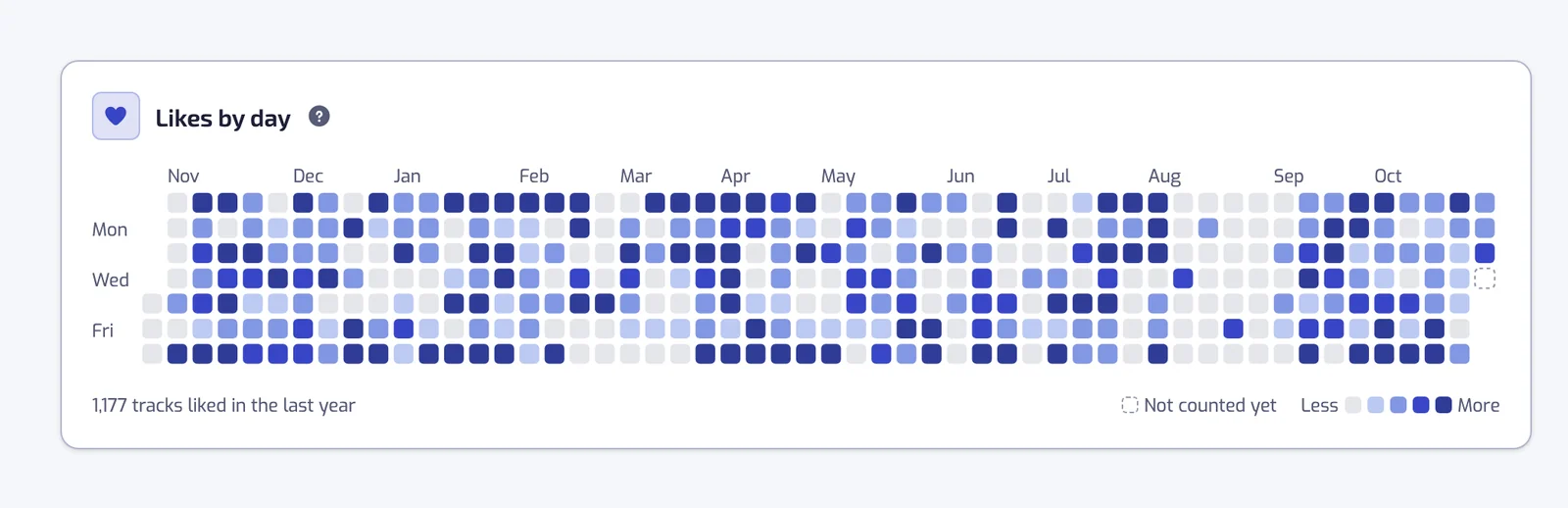
  3. Likes by day

    Stats shows a year of your likes, one square per day.

    The Likes by day card on the Stats page, with one square per day over the last year, darker for days with more tracks liked, a Less to More legend and the total under the grid
    Library stats
  4. Free, Plus and Pro plans

    Free, Plus and Pro, with every filter on every plan.
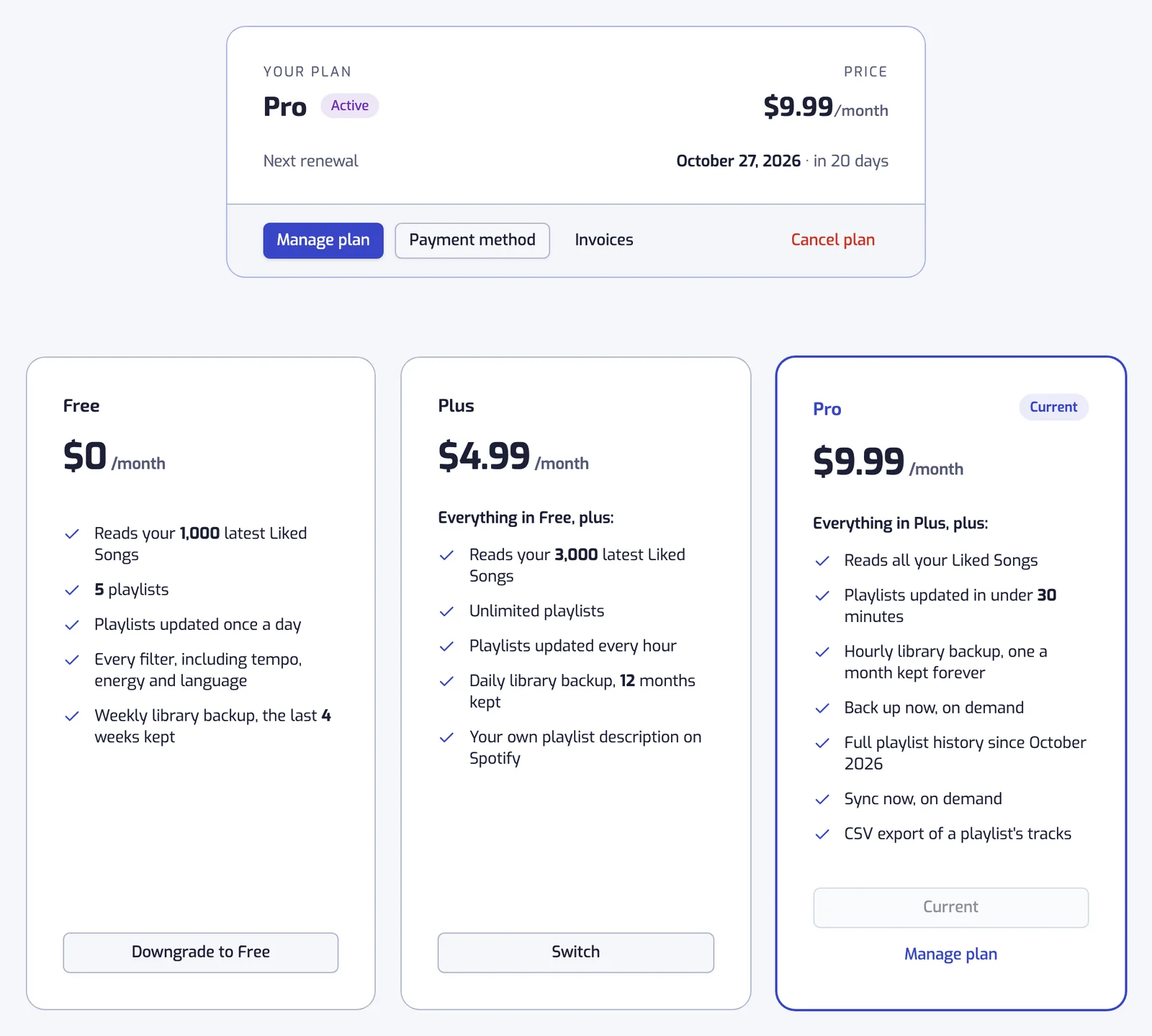
    The Subscription page with the Free, Plus and Pro cards
    Plans and billing
    More details

    Pro adds faster refreshes, Sync now, the full history and CSV exports.

  5. Playlist history

    A timeline for each playlist: tracks added and removed, your filter edits, and why a track left.

    Playlist history
  6. Previews and playlist length

    Play a 30-second preview of a track from the list.
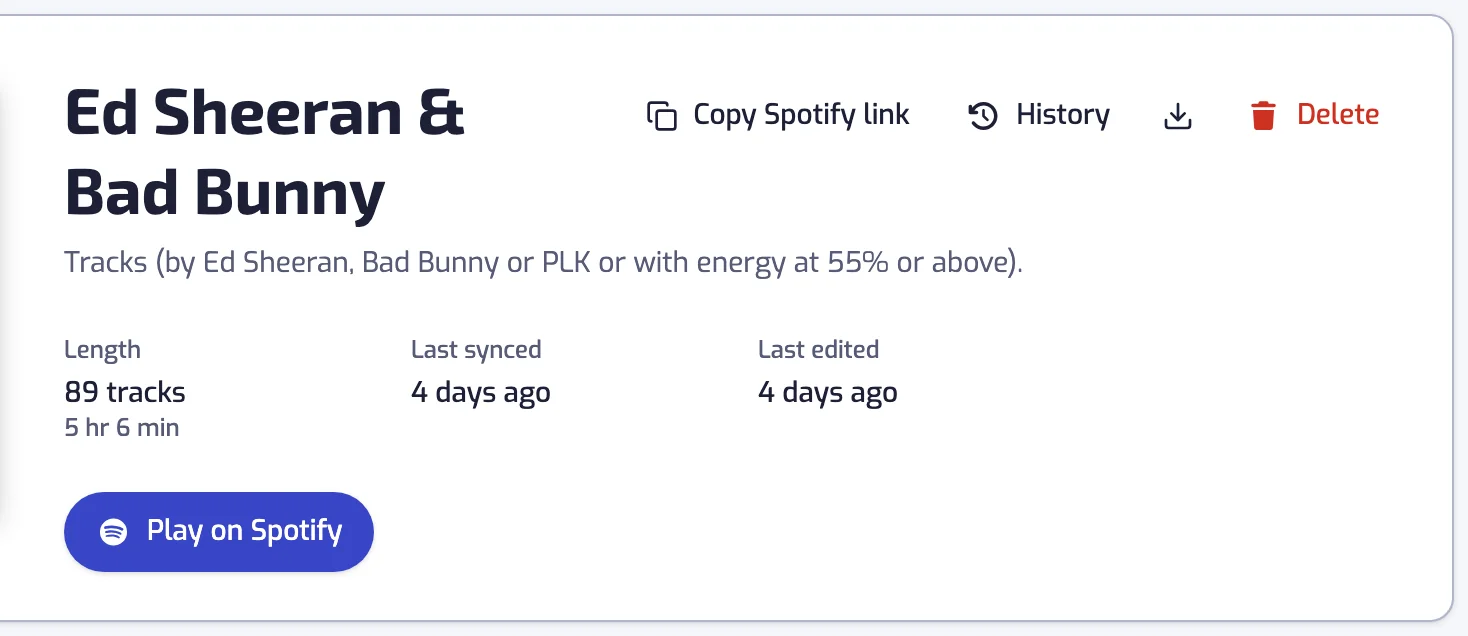
    A playlist page: cover, editable name and description, track count, last sync and the Play on Spotify button
    The playlist page
    More details

    The playlist header shows the track count and the total length.

  7. Search a playlist's results by title, artist or album.
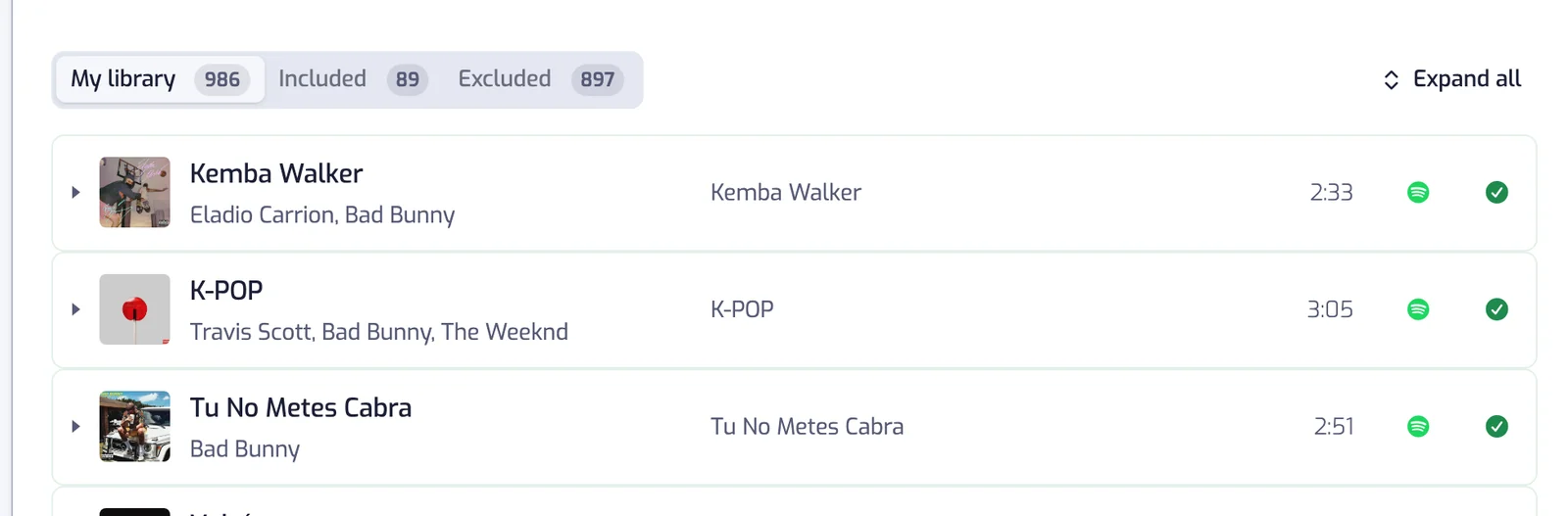
    The My library tab selected, with its count, above the first track rows
    Results
    More details

    Each tab shows how many tracks match.

  8. Live update progress

    A playlist page shows how far an update has got, and when it last synced.

    The playlist page
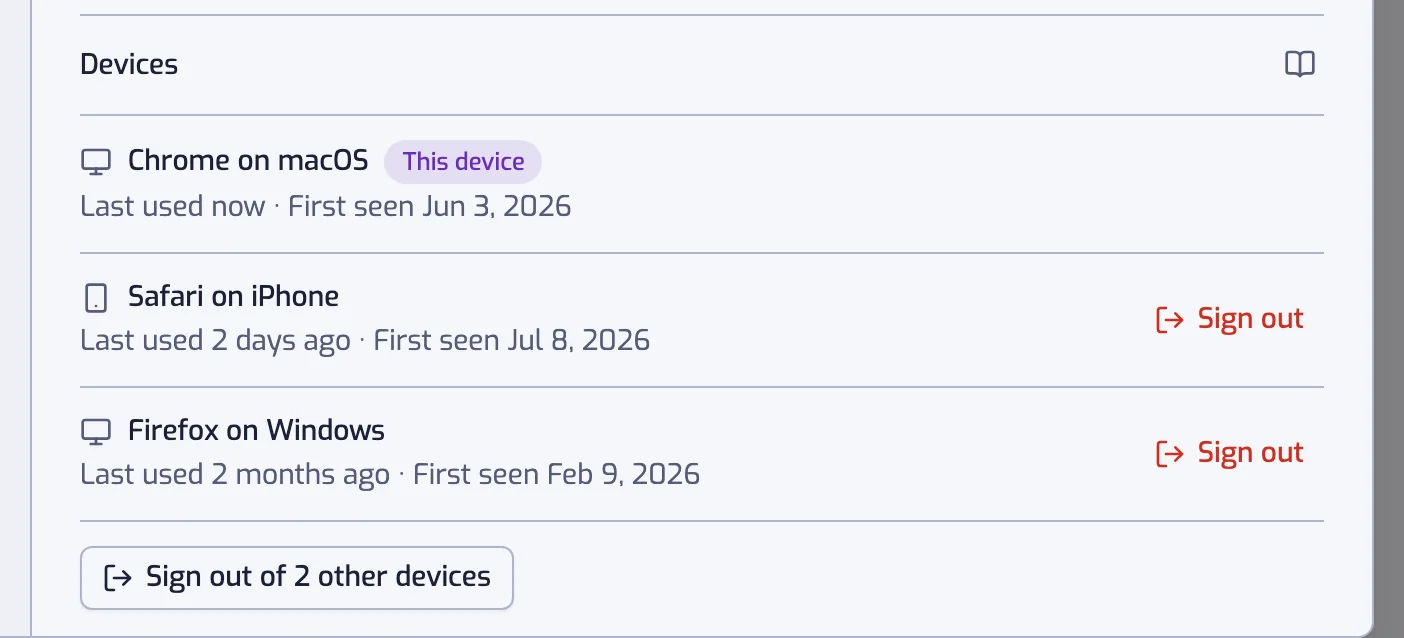
  9. Devices

    See every device signed in to your account and sign any of them out.

    The Devices section of the Account settings, listing two signed-in devices with the current one badged This device
    Devices
  10. Staying connected to Spotify

    Playlistation reminds you before Spotify's six-month access ends, and one click reconnects.

    The banner at the top of the app: Spotify asks you to authorize Playlistation again every 6 months, with the date yours runs out and a Reconnect Spotify button
    Getting started
    More details

    Spotify ends an app's access six months after you authorize it. If it runs out, your playlists pause with their filters untouched until you reconnect.

  11. Documentation

    A manual for Playlistation, with a page for each filter.

    Getting started
  12. Filter groups

    Each filter reads as a sentence, and you can group filters with AND or OR.

    Combining filters
  13. Four more filters

    Filter by track popularity, explicit content, artist popularity and artist followers.
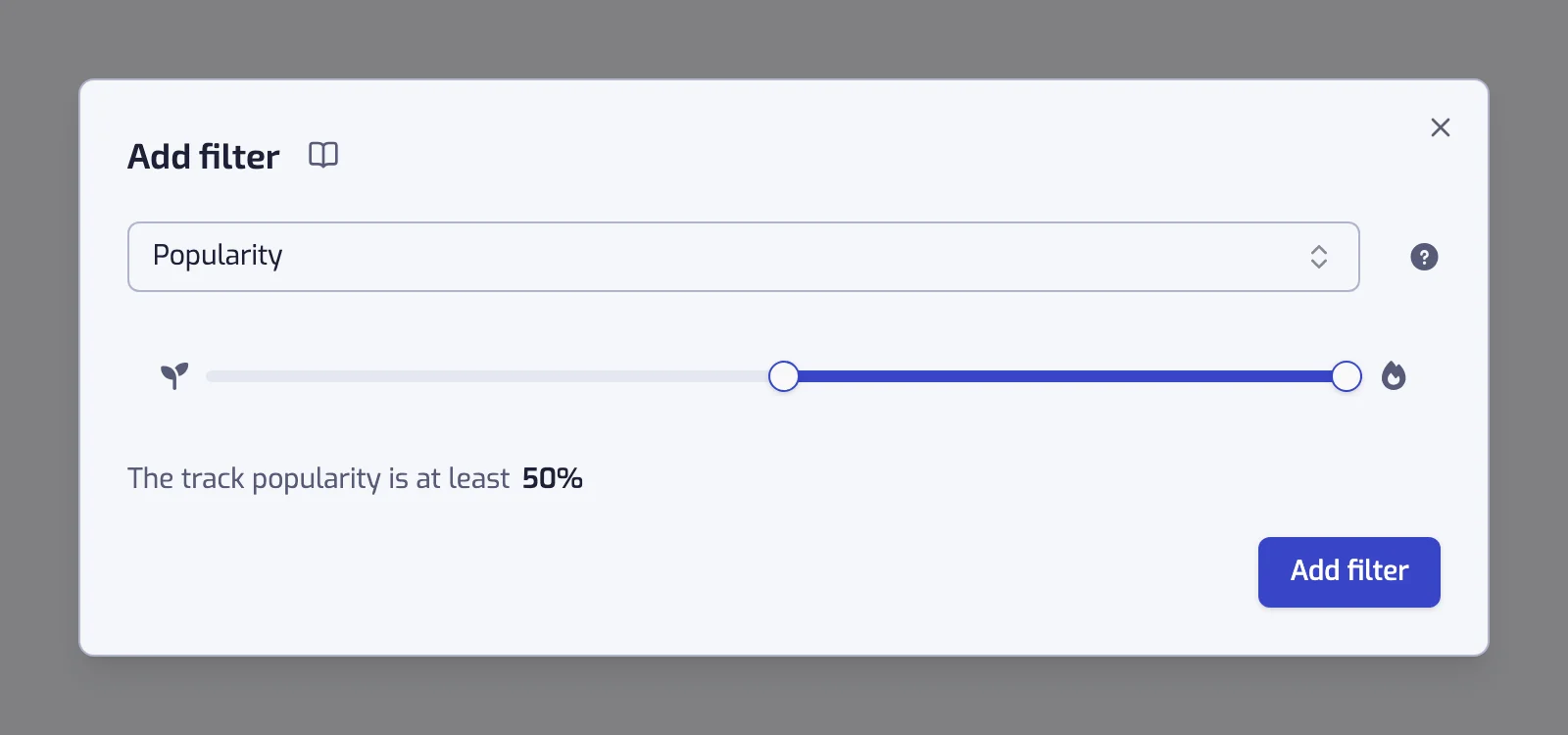
    The Popularity filter dialog with its two-handle slider and the sentence below it
    All filters
  14. More languages

    The app is available in German, Spanish, Italian and Portuguese, besides English and French.
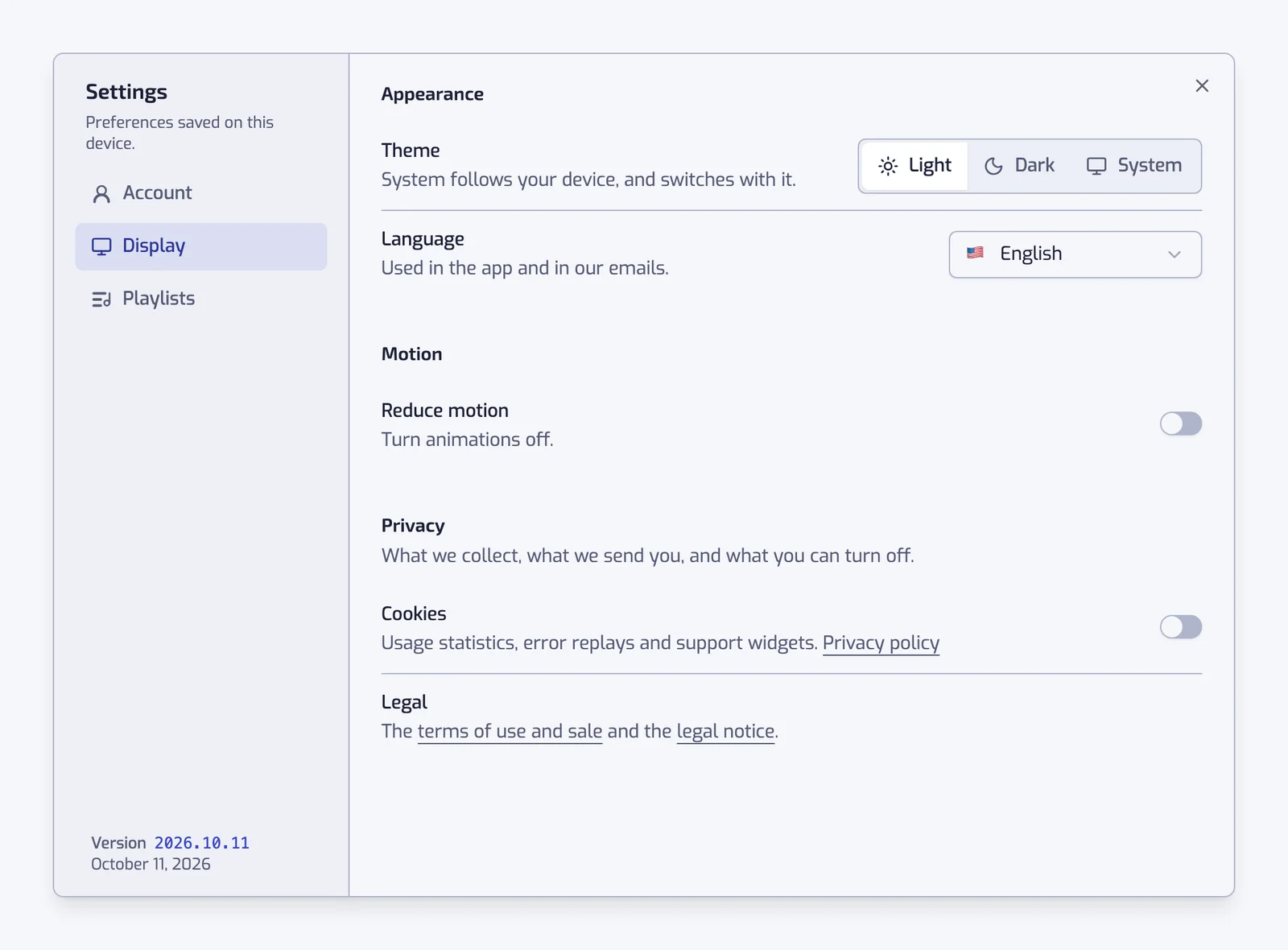
    The Display section with the Theme and Language segmented controls, the Reduce motion switch, and under Privacy the Cookies switch, the switches for emails about new features and recap emails and the Legal line
    Settings
  15. Playlist ideas on Discover

    Discover suggests smart playlists built from your own Liked Songs.
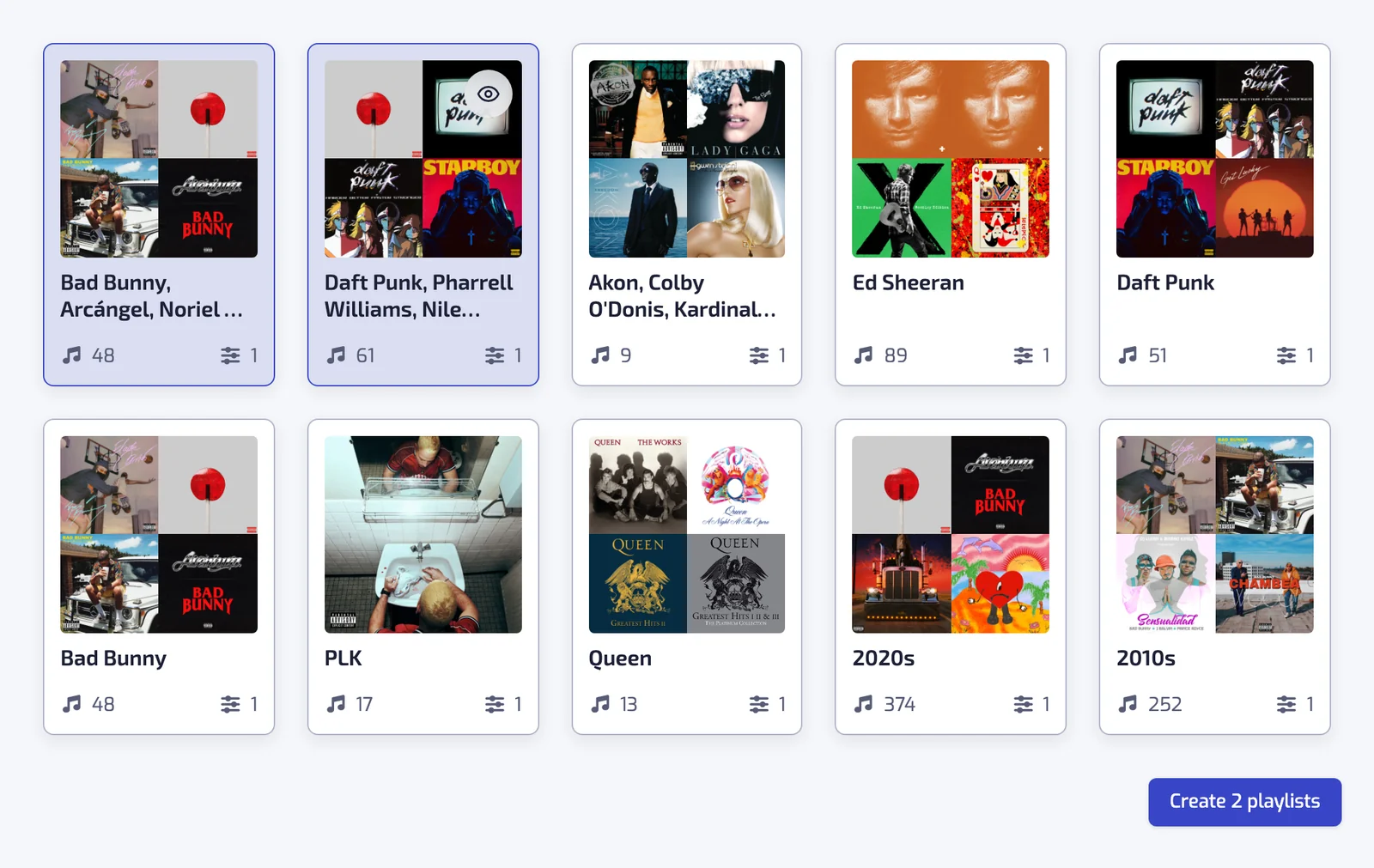
    The Discover page with a grid of suggested playlists, two of them selected, and the Create 2 playlists button
    One-click playlists
    More details

    Pick one and it is created with its filters set.

  16. A new look

    Light or dark theme, a sidebar on desktop and a tab bar on mobile.

    Settings
  17. A Stats page

    Your Liked Songs by decade, track length, genre, artist and album, plus how your library grew.

    Library stats
    More details

    Artists and albums link to Spotify, and several charts can turn into a playlist.

Ready to create your first smart playlist?

Free, no card. We never see your Spotify password. Security and privacy