

Filters
Tempo (BPM)
On Spotify, BPM (beats per minute) is a track's tempo: Spotify's estimate of its overall speed. The Tempo filter keeps the tracks whose BPM sits inside a range you set. It is the filter to reach for in running, cycling and study playlists. It is available on every plan.
What it matches
Every analyzed track has one BPM value. A low BPM is slow, a high BPM is fast. The filter keeps a track when its BPM is between your minimum and your maximum, both ends included.
The top of the scale is open. A maximum set to 200 means "at least the minimum", so a track estimated at 210 BPM still matches "The track BPM is at least 176".
Tempo is not intensity. A ballad in 6/8 can be estimated at 170 BPM, and a heavy track can sit at 80. Add Energy when you mean "fast and intense".
Where the data comes from
The value is part of Spotify's audio analysis of the recording. Playlistation reads it from Spotify the first time a track is checked and stores it for later updates.
Spotify has no analysis for every track. When it has none, the track has no tempo and the filter treats it as not matching: the track stays out of the playlist whatever range you set.
Operators and values
The filter has one operator, Between, so the dialog shows no operator card. You set a minimum and a maximum on a slider with two handles, from 0 to 200 BPM, in steps of 1. A new Tempo filter starts at 75 to 120 BPM.
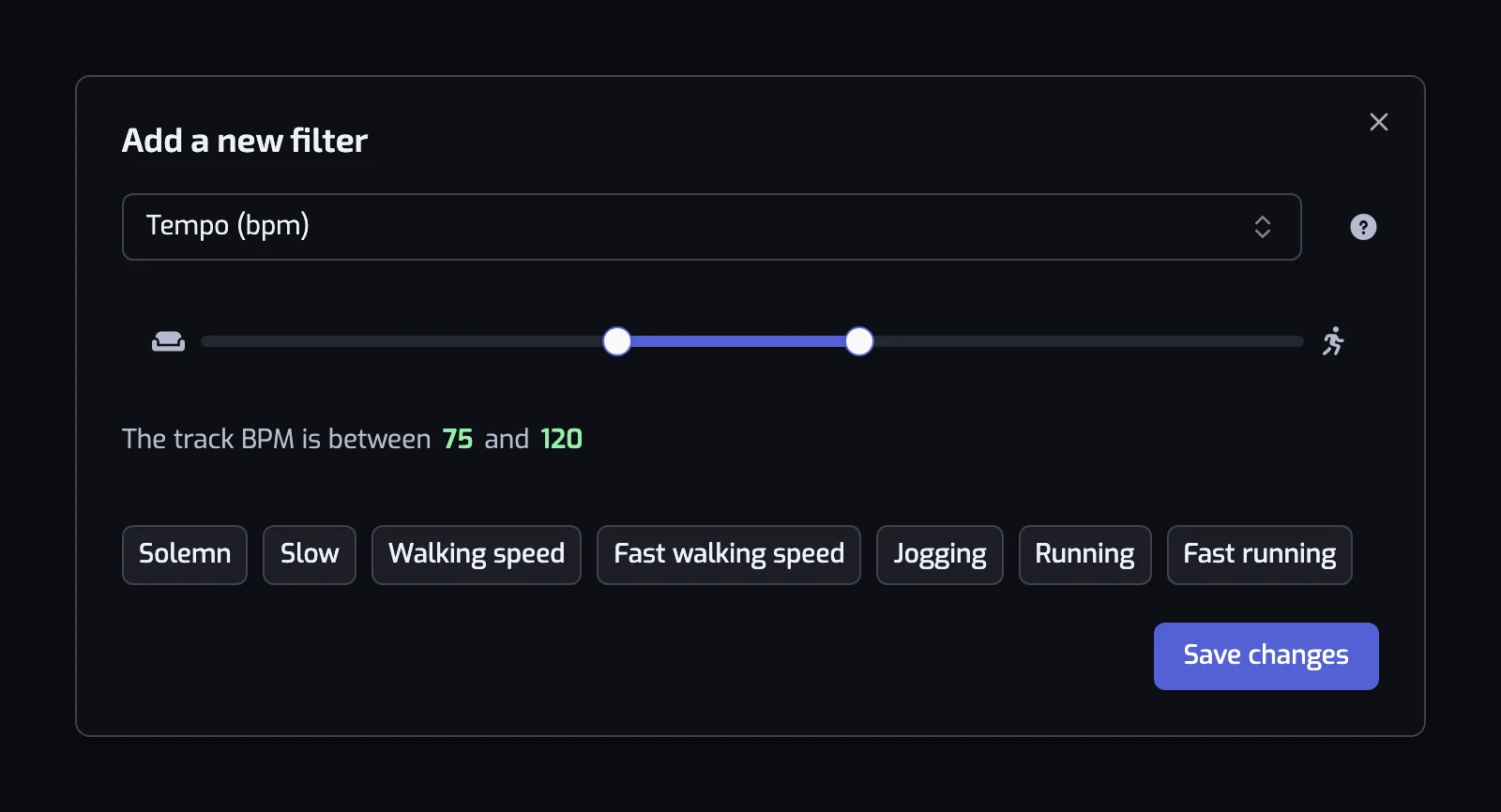
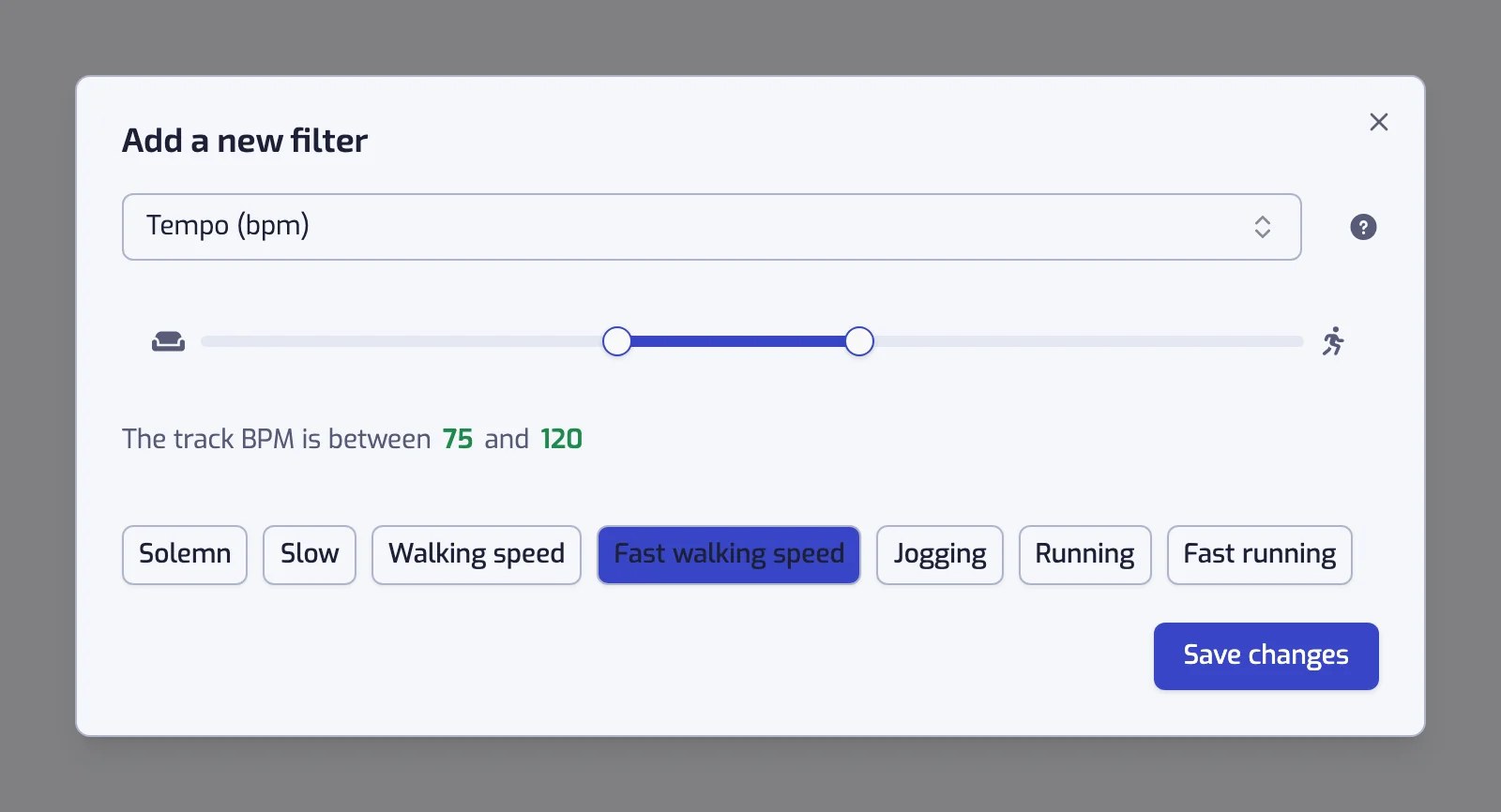
Under the slider, seven presets set the range in one click: Solemn (0 to 40), Slow (40 to 66), Walking speed (66 to 108), Fast walking speed (108 to 120), Jogging (120 to 156), Running (156 to 176) and Fast running (176 to 200). Clicking a preset next to the current range extends the range; clicking a selected preset at either end removes it. The last selected preset stays on: a range can't be empty.
The sentence collapses at the ends of the scale:
- Minimum at 0: "The track BPM is at most 90".
- Maximum at 200: "The track BPM is at least 165".
- Anything else: "The track BPM is between 75 and 120".
A slider left at 0 to 200 shows the warning "With the current settings, all of the tracks will match this filter".
Examples
- The track BPM is between 156 and 176. The Running preset. Add The track energy is at least 60% to drop the slow songs that happen to be fast.
- The track BPM is between 120 and 130 and The track artist is tagged with one of house, tech house. House at house tempo.
- The track BPM is at most 90 and The track acousticness is at least 50%. Slow and acoustic, the wind-down playlist.
- The track BPM is at least 176. The Fast running preset, drum and bass and fast punk included.
Things to know
- Tempo estimates sometimes land on half or double the beat you tap along to: a track you feel at 140 BPM can be listed at 70. If a song you expected is missing, expand it in the track list at the bottom of the page: the Tempo line shows "The track tempo is 70 BPM".
- For cycling, halve or double the cadence. A 90 rpm cadence works with 90 BPM as well as 180 BPM.
Common questions
What does BPM mean on Spotify?
BPM means beats per minute: Spotify's estimate of a track's overall speed, so the higher the BPM, the faster the song. To see a track's BPM in Playlistation, add a Tempo filter to a playlist and expand the track in its track list, where a line reads "The track tempo is 70 BPM", for example. The Tempo filter works on every plan.
How do I make a Spotify playlist by BPM?
Add a Tempo (BPM) filter, then set a range on its slider or tap a preset: Walking speed is 66 to 108 BPM, Jogging 120 to 156, Running 156 to 176 and Fast running 176 to 200. Playlistation fills the playlist with the songs from your Liked Songs inside that range.
Can I filter Spotify songs by BPM for running?
Yes. The Running preset keeps songs between 156 and 176 BPM, Fast running keeps 176 and above and Jogging covers 120 to 156. Add an Energy filter to drop the slow songs that are estimated as fast.
Related filters
- Energy: intensity, which tempo does not measure.
- Danceability: a steady beat at any speed.
- Instrumentalness: for study playlists without vocals.
- Combining filters
- Filter your Liked Songs by BPM and build a running playlist: this filter as a walkthrough.