

Filters
Instrumentalness
Instrumentalness is Spotify's score, from 0% to 100%, for how likely a track is to have no vocals: the higher the score, the less likely the track has vocals. The Instrumentalness filter keeps the tracks whose instrumentalness score sits inside a range you set. It is available on every plan.
What it matches
"Ooh" and "aah" sounds count as instrumental; rap and spoken words count as vocals, so those tracks score low.
The filter compares each track's score with your range and keeps the track when the score is inside it, both ends included.
Spotify's own guidance is that a score above 50% is a strong sign the track is instrumental, and that confidence grows as the score gets closer to 100%. Tracks with a few sung lines, or with sparse vocals over long instrumental passages, land in the middle.
Famous songs and their scores
Press play to compare. Bohemian Rhapsody has a voice in nearly every bar and scores 0%. Comfortably Numb puts long guitar solos between sung verses and lands at 31%. Around the World scores 88%, although a voice repeats its title from start to finish.
Accept cookies to play these songs here.
Where the data comes from
The score is part of Spotify's audio analysis of the recording. Playlistation reads it from Spotify the first time a track is checked and stores it for later updates.
Spotify has no analysis for every track. When it has none, the track has no instrumentalness score and the filter treats it as not matching: the track stays out of the playlist whatever range you set.
Operators and values
The filter has one operator, Between, so the dialog shows no operator card. You set a minimum and a maximum on a slider with two handles, from 0% to 100%, in steps of 5. A new Instrumentalness filter starts at 25% to 75%.
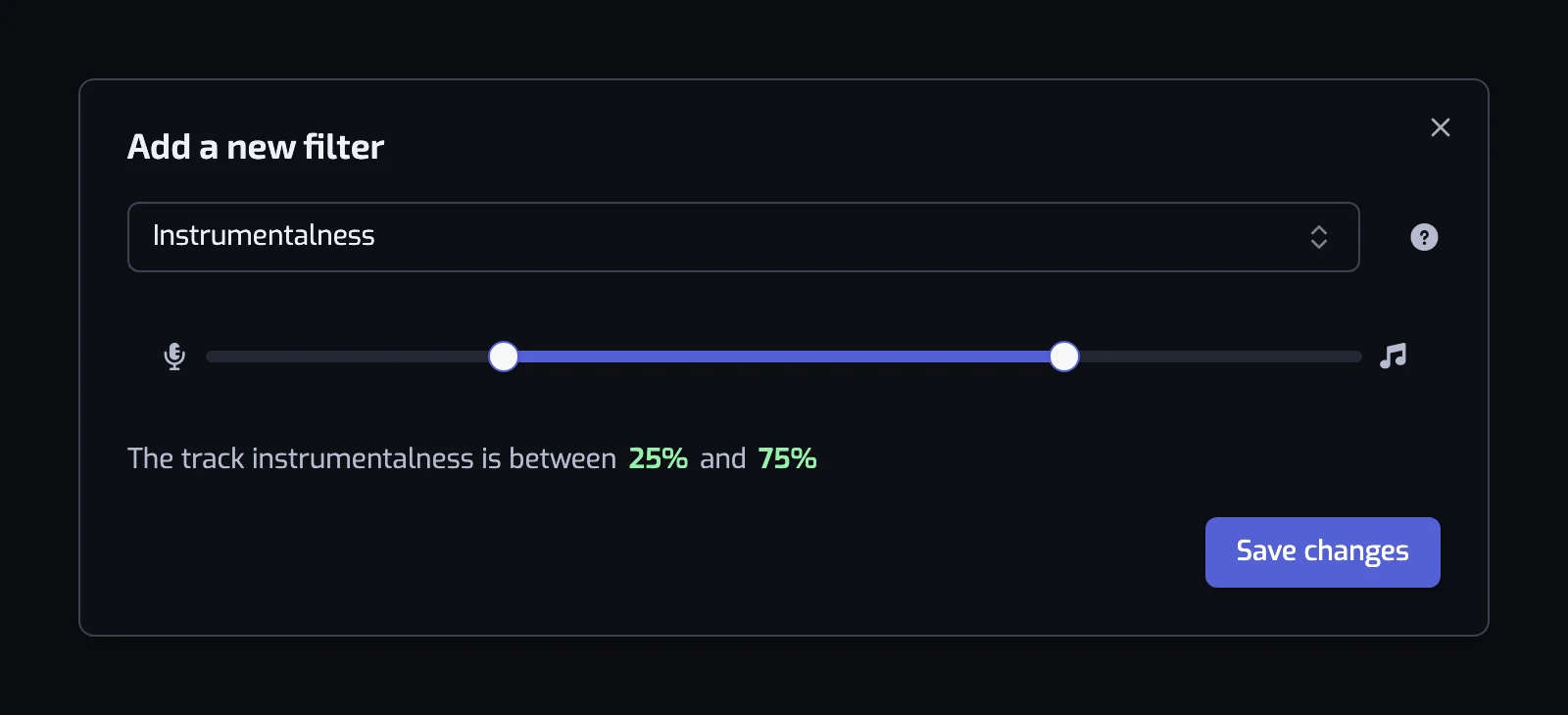
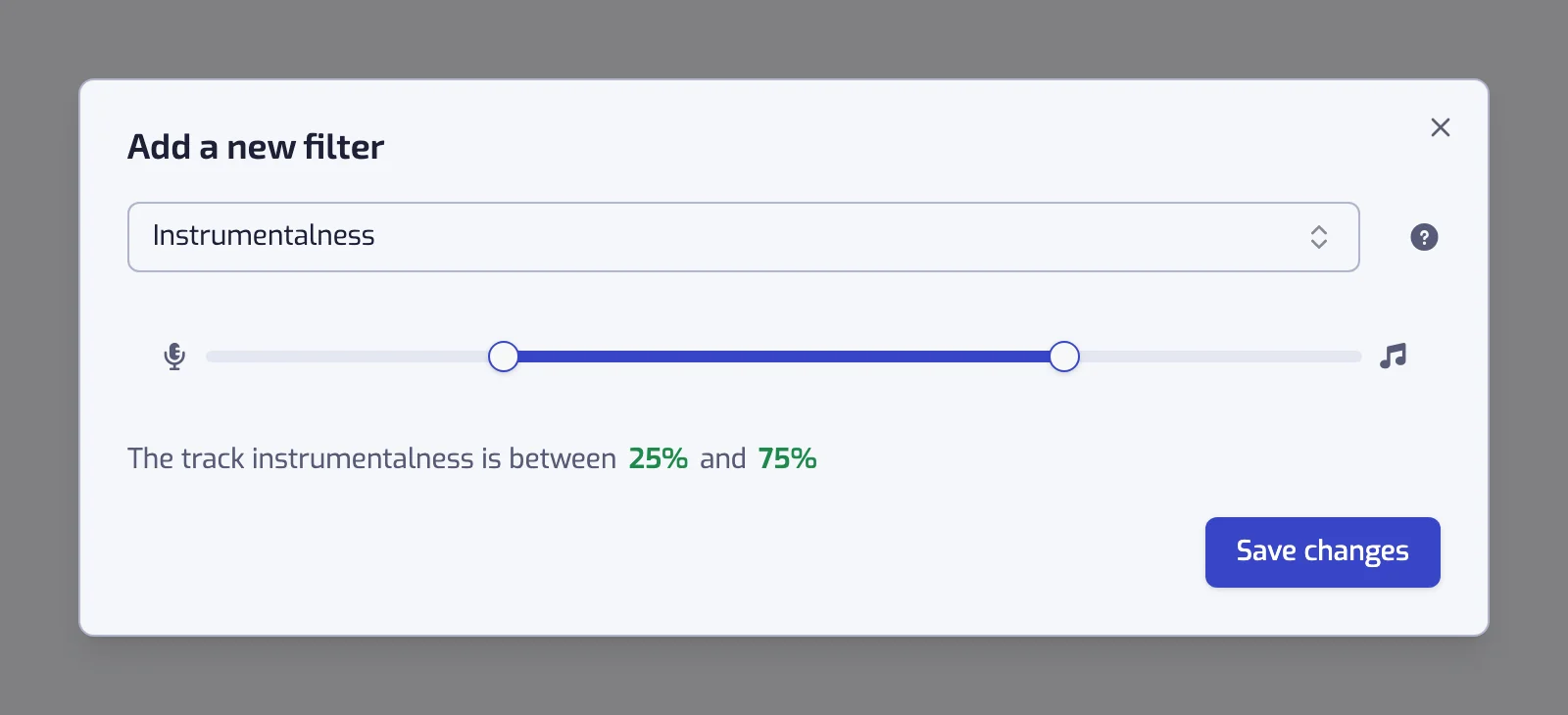
The sentence collapses at the ends of the scale:
- Minimum at 0: "The track instrumentalness is at most 20%".
- Maximum at 100: "The track instrumentalness is at least 50%".
- Anything else: "The track instrumentalness is between 25% and 75%".
A slider left at 0% to 100% shows the warning "With the current settings, all of the tracks will match this filter".
Examples
- The track instrumentalness is at least 50%. Music to work to, with nobody talking over your thoughts.
- The track instrumentalness is at most 20% and The track language is one of Spanish. Songs with vocals in Spanish.
- The track instrumentalness is at least 50% and The track BPM is at most 100 and The track energy is at most 40%. Slow, calm instrumentals for sleep.
- The track instrumentalness is at least 50% and The track acousticness is at least 60%. Classical guitar, solo piano, acoustic ambient.
Things to know
- The Language filter cannot see instrumentals: no lyrics, no language. This filter is the way to collect them.
- Post-rock and electronic music with sparse vocals sit around 30% to 50%. If an instrumental playlist looks thin, lower the minimum to 30% and check the edge cases in the track list at the bottom of the page: expanding a track shows "The Instrumentalness score is 42%".
- The opposite case exists too: a song with a long instrumental intro can score in the middle and fall on either side of your threshold.
Common questions
What is instrumentalness on Spotify?
Instrumentalness is Spotify's score, from 0% to 100%, for how likely a track is to have no vocals. A score above 50% is a strong sign the track is instrumental; "ooh" and "aah" sounds count as instrumental, while rap and spoken words count as vocals.
Can a song with vocals score high on instrumentalness?
Yes. Daft Punk's Around the World repeats its title through a vocoder for the whole track and scores 88%, above the 50% Spotify treats as a sign of an instrumental. The analysis does not always count a processed or looped voice as singing, so for a playlist with no voice at all, set the minimum at 90% and check the result in the track list.
Related filters
- Speechiness: spoken words rather than sung ones.
- Language: the language of the lyrics, for tracks that have some.
- Acousticness: acoustic or electronic.
- Combining filters